Mining & equipment · Dispatcher, GPS, geofences, Cab app, surveyor, maintenance
One flow from roster to trip report, from surveyor to act — now with GPS
Field work at open pits and road projects: plans, roster, dispatcher, trips, fuel, surveys, equipment maintenance. A GPS tracker on the machine or the driver’s phone (Cab app) — trips are recognised automatically by geofence, live dispatch in real time.
- Feature group
- 3
- Action
- 15
- Flow step
- 6
How it works
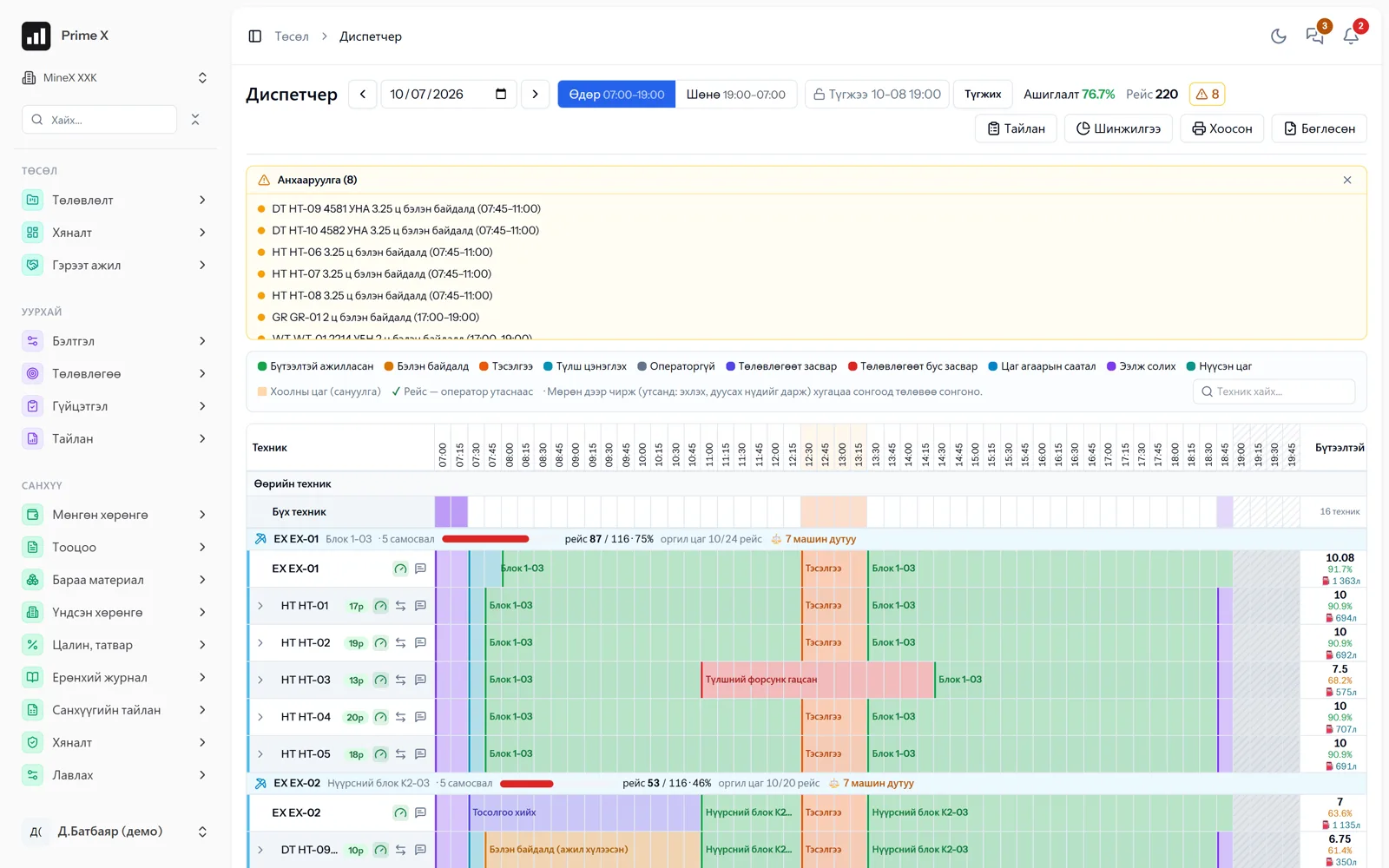
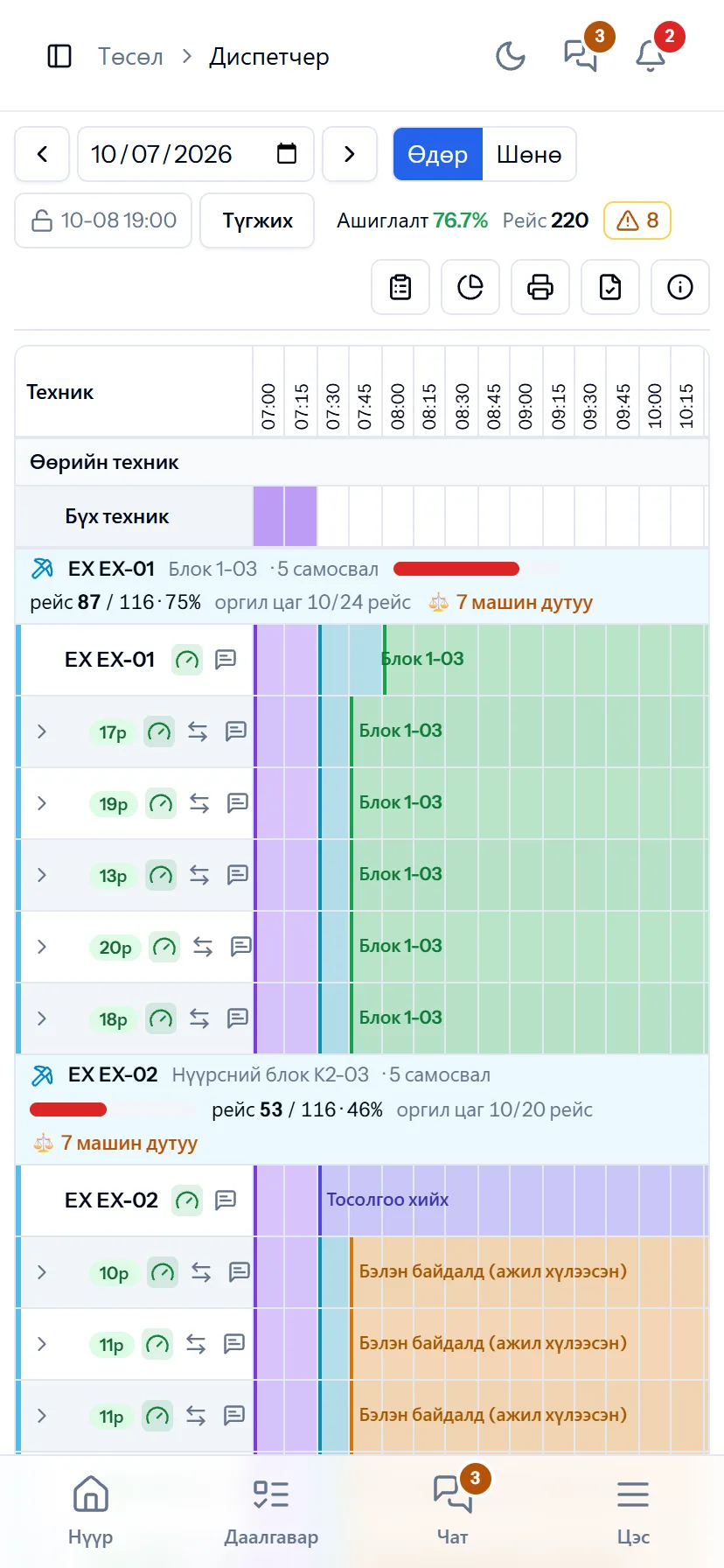
Shifts, crews, project equipment and rental drivers are set in the roster. The dispatcher drags each machine’s status on one table identical to the paper waybill, and trips, locations, time usage and engine hours are recorded automatically. Survey measurements are imported to produce stockpile, quality and road-layer reports. Service reminders come by engine hours, and repair requests reach the warehouse with their spare-parts usage.
Request a walkthroughThe picture is only a small part. On the real system Mining & equipment section works at every tap and links straight to the other sections — let us show you.
Request a walkthroughScreens
Mining & equipment — screens in the system
Demo company screens with sample data. Scroll down to see them one by one.
1 / 9
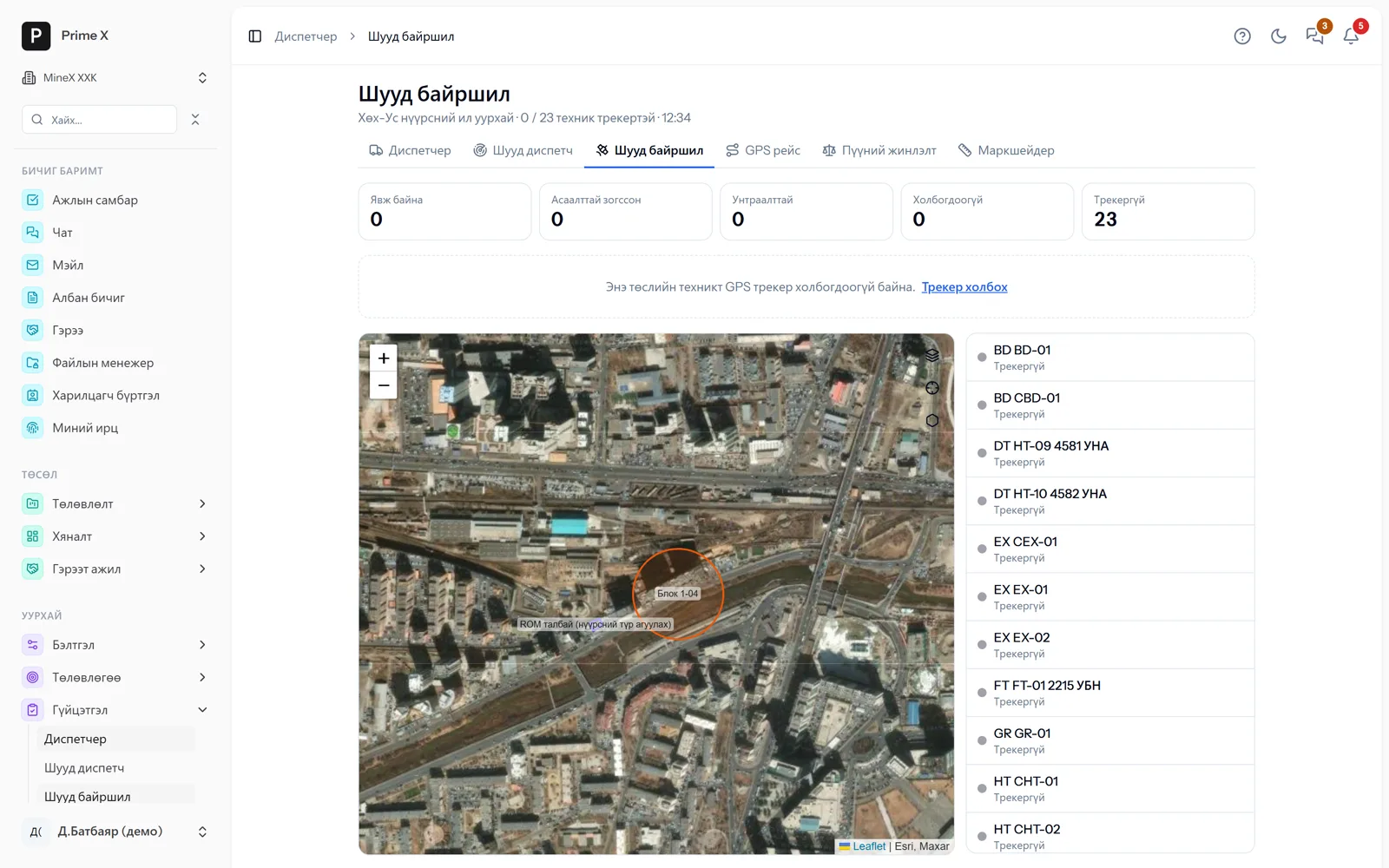
Machines with GPS trackers on the map every 15 seconds: moving, stopped, offline. Tap a machine for the day’s track, distance and top speed.
Spotlight: repair and maintenance
Maintenance is scheduled before the machine stops
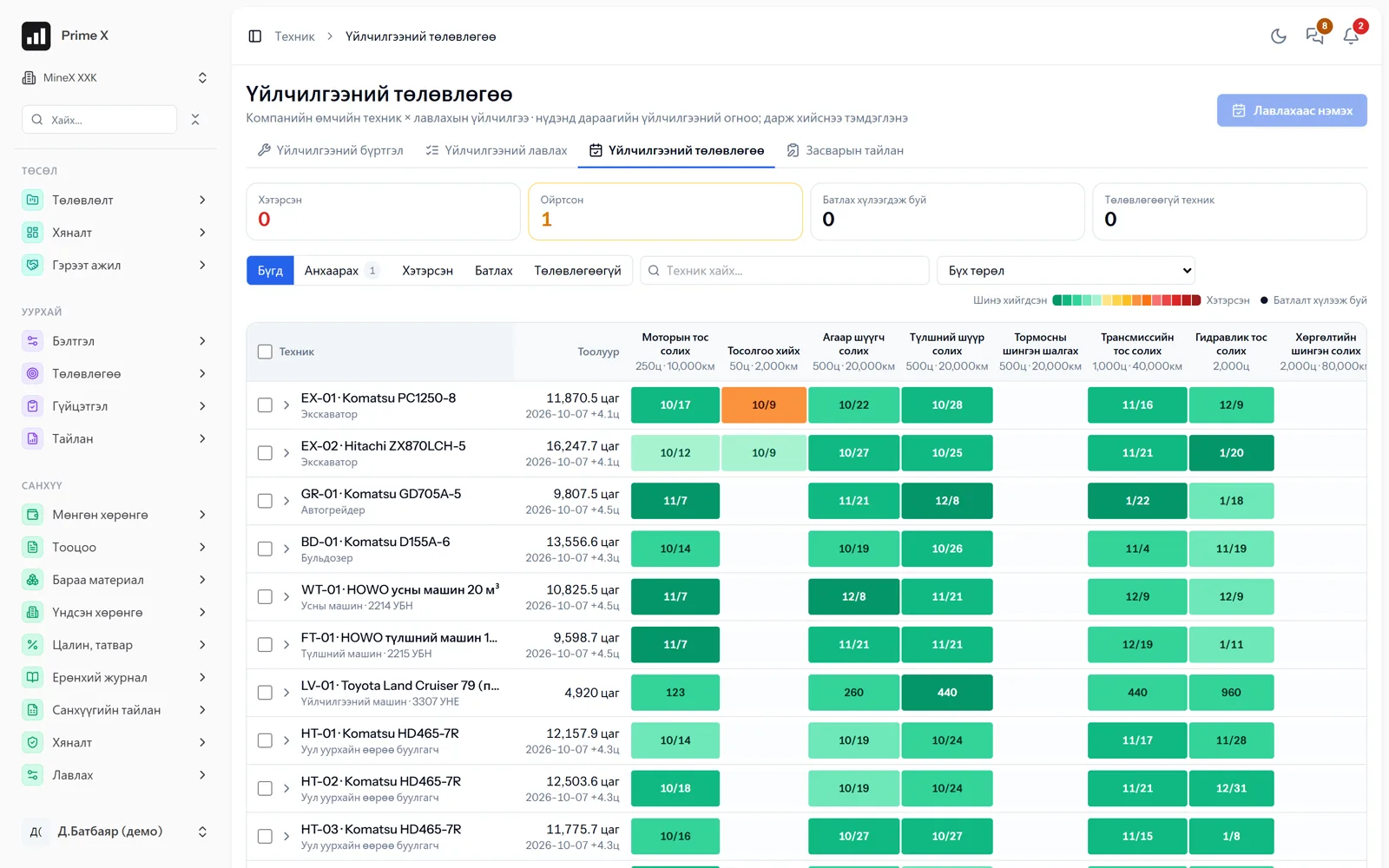
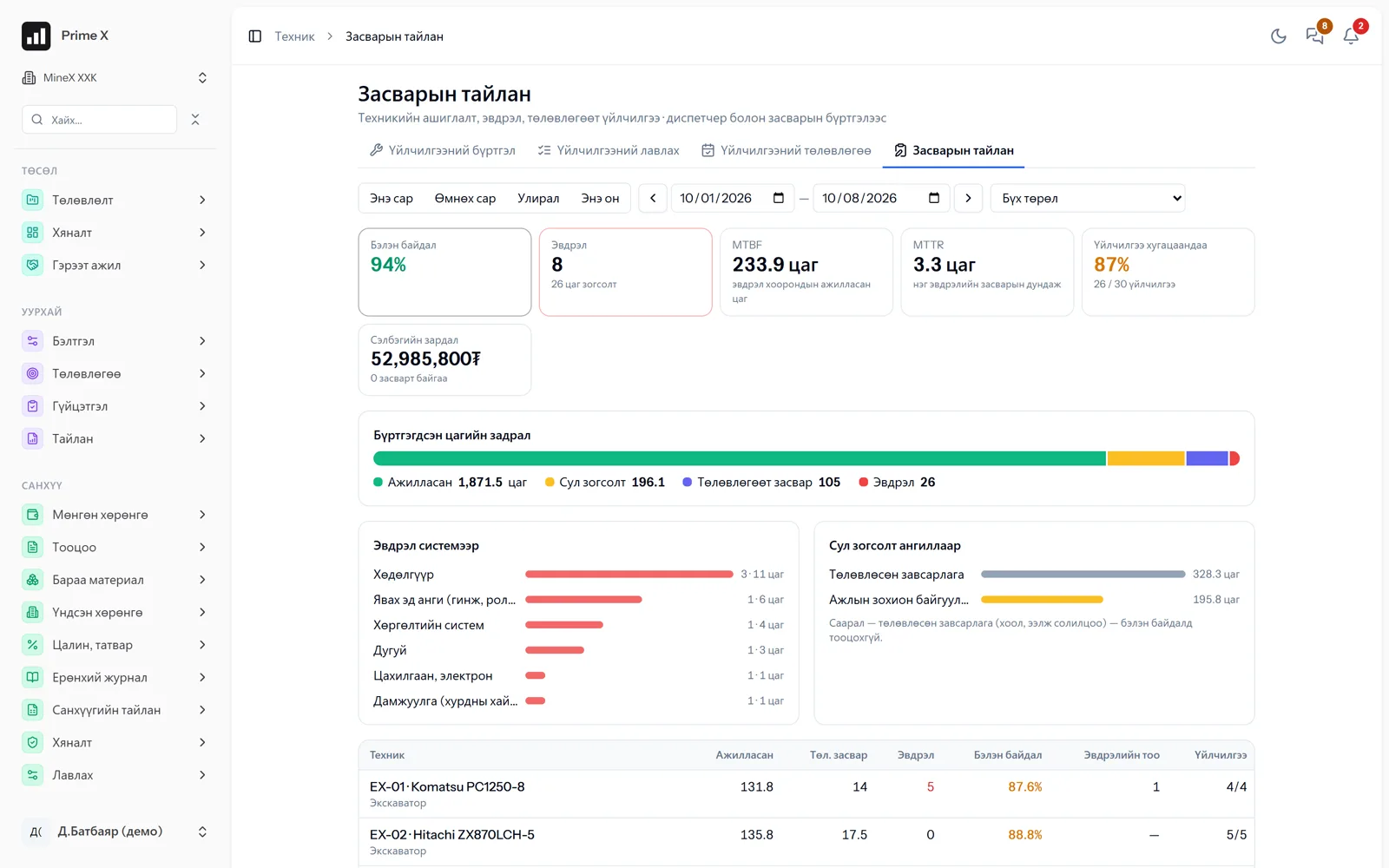
Engine hours accumulate automatically from dispatcher records and reminders come according to the service plan. When a repair request is approved, spare parts are issued from the warehouse and the cost is posted to the machine and the project. Failure causes, availability and MTBF/MTTR reports show in numbers which machines pay off.
Great on the phone too
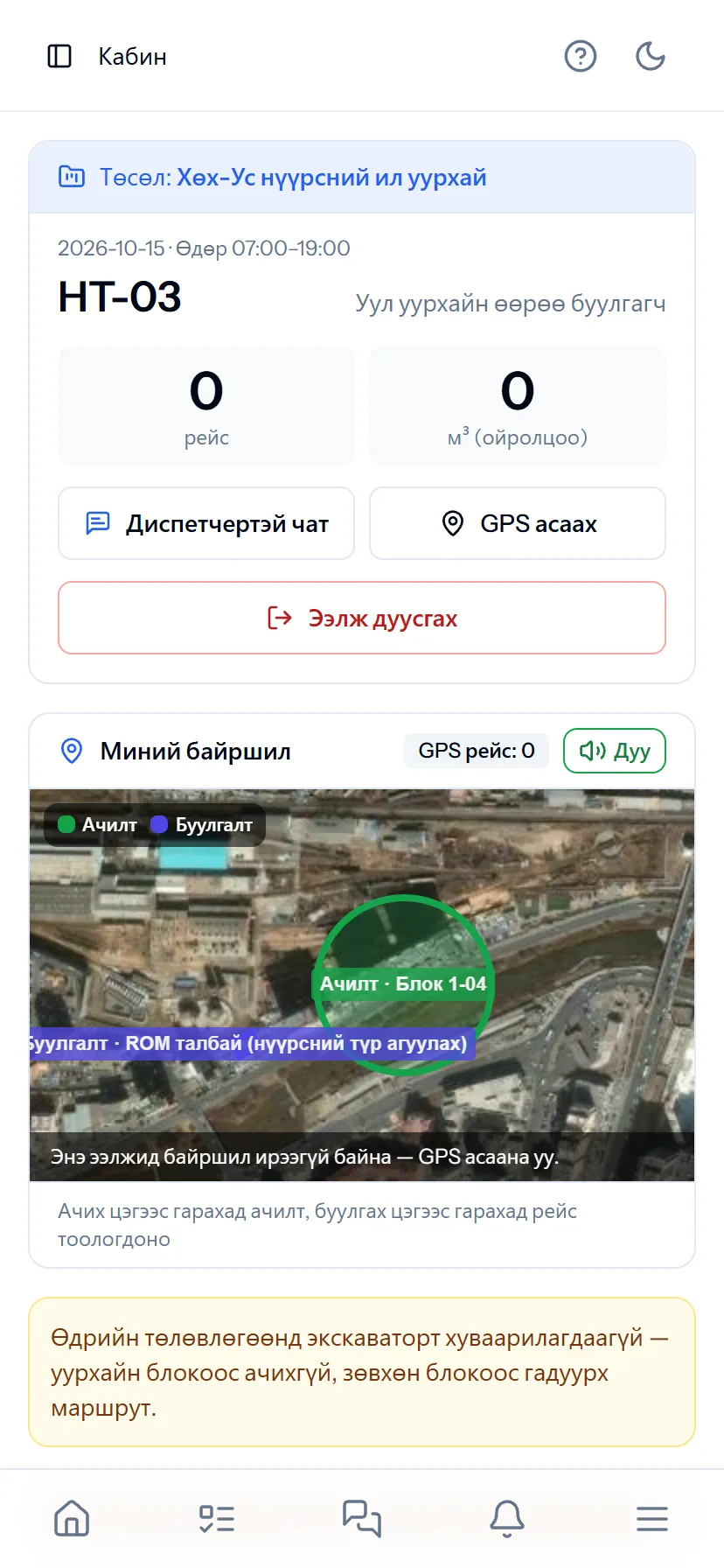
Cab — the driver’s phone is the tracker and the waybill
The driver picks the machine on the phone and works: status, “+ TRIP”, chat with the dispatcher. Leaving the loading zone and reaching the dumping zone counts a trip automatically and announces it by voice. Offline, it is stored on the phone and sent later. The Android app keeps sending GPS even with the screen off.
- Same account, same permissions — no difference between computer and phone
- Bottom menu: Home, Tasks, Chat, Menu — one tap
- No app to install, opens from the browser; Web Push notifications
What is included
Features of the Mining & equipment section
Planning
- Monthly and daily production plans
- Blocks, blasting, drilling records
- Roster (14/14, 21/7), crews, project equipment
- Road layers and measurements (roads)
Execution, GPS
- Dispatcher — 1:1 with the waybill, print shift sheets
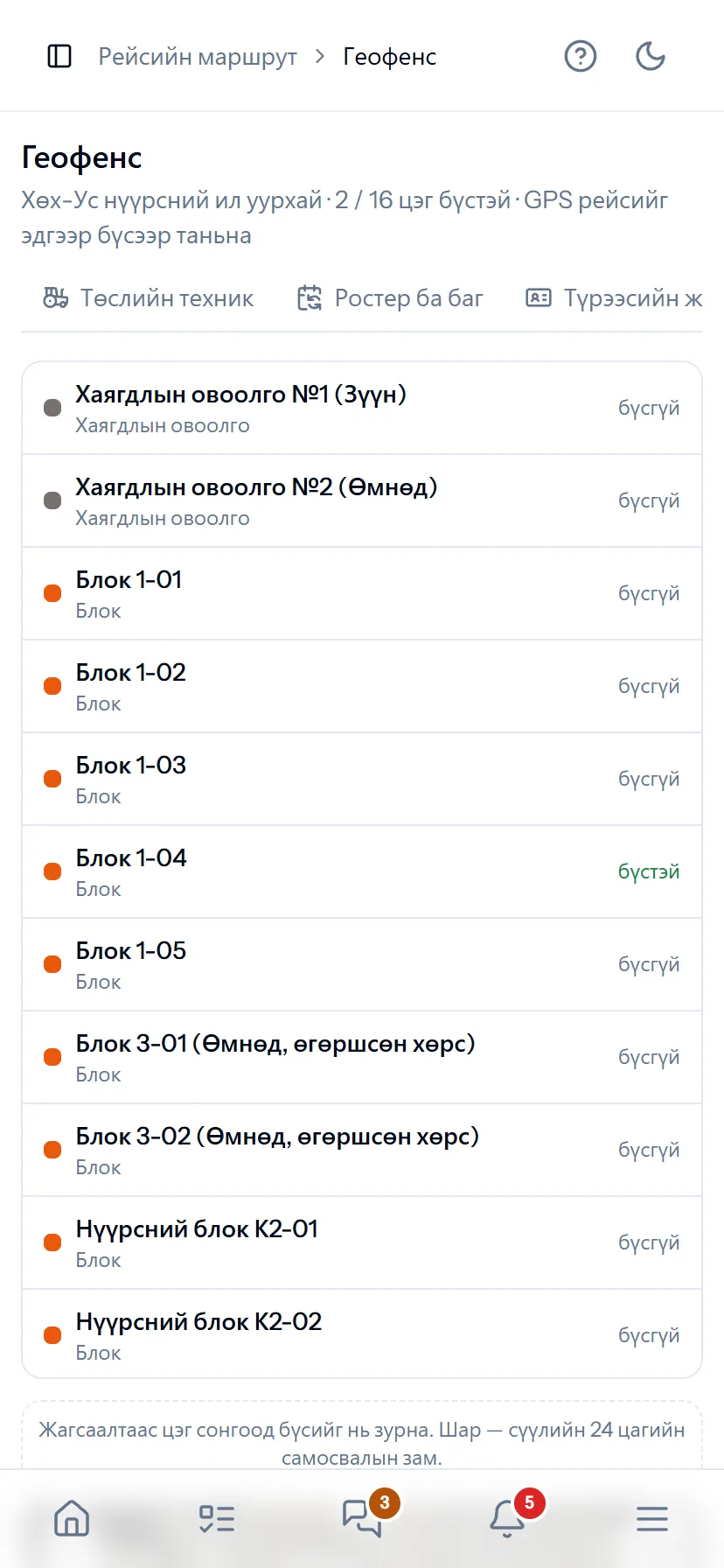
- GPS telemetry (Traccar, Teltonika…), live location, geofences
- Automatic GPS trips; live dispatch — phase, match, alerts
- Cab: the driver’s phone = tracker, trips, status, offline (Android app)
- Weighbridge tickets, external FMS CSV; TUM time usage
- Survey import, stockpiles, quality, lab samples
Equipment
- Equipment register, engine hours, plate-number history
- Service plan, repair requests, spare parts
- Certificates, insurance — expiry reminders
- Super report, quotations (PDF, Excel)
- Rental settlement — the lessor confirms every day
Better in real life
Screenshots show only a small part of the system
A screenshot shows just one moment. On the real system, when the dispatcher changes a status you see the trip report change, the act appear and the ledger entry go in. The best way is 30 minutes together on your company’s data.
- With your equipment, employees and project names
- Questions answered on the spot and shown on screen
- Online or at your office
- No obligation, no charge
See it on the real system
Request a walkthrough Try the dispatcherThere is no open demo. Walkthroughs are done only at your request, for your company.
Ready to run your company on one system?
Screenshots do not fully show how it works in practice. We give a 30-minute walkthrough on your company’s data and draw up an implementation plan together — office, factory, clinic, road or mine, the whole system or a single module. If you have foreign investors we show the English and Chinese interfaces too.