HSE · ISO 45001 system: risks, permits, incidents, training, audits New
Every employee reports hazards from the phone and no action is forgotten until it is closed. ISO 45001 evidence builds itself from the records
The ISO 45001 PDCA cycle: risk assessment, inspections, work permits → training, PPE, health → incidents, near misses → actions → dashboard, monthly report. Management system: policy, objectives, legal requirements, change, emergencies, contractors, consultation meetings, internal audit, management review — each clause of the standard shown green / yellow / red.
- Feature group
- 5
- Action
- 22
- Flow step
- 6
How it works
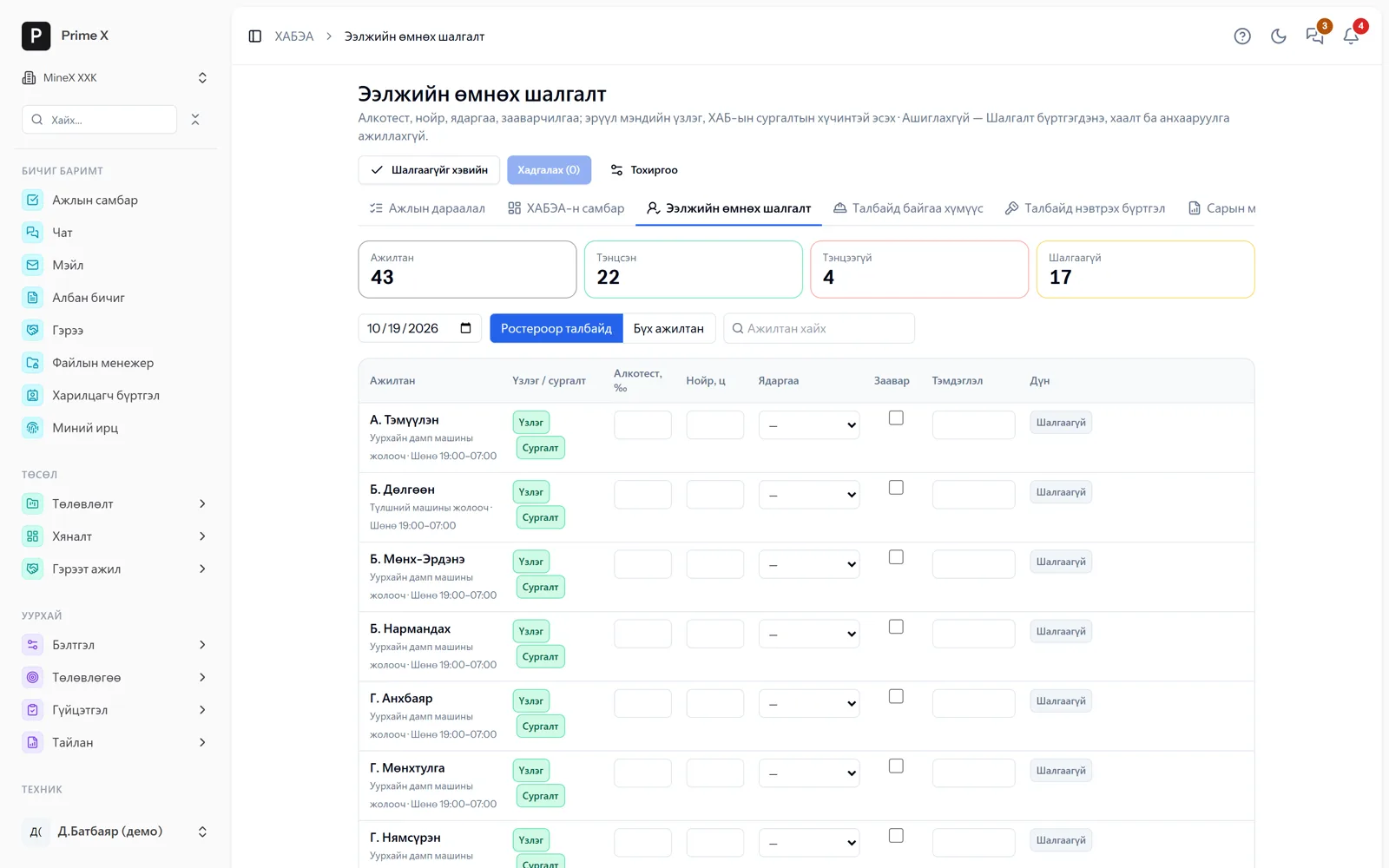
From “My HSE” every employee reports hazards and near misses by phone, confirms training and PPE received and requests hot-work and work-at-height permits. The HSE engineer rates risk for every activity by probability × consequence, sets the hierarchy of controls (engineering, administrative, PPE) and tracks residual risk. Weekly site inspections use checklists, and every finding becomes an action with an owner and a deadline. Incidents are investigated and closed with an act and actions under Government Resolution 269. PPE issue is tied to warehouse issues; training validity and medical checks are flagged before they expire. The dashboard shows the incident pyramid, man-hours, LTIFR, valid permits and HSE spending; the monthly report comes out in the inspection authority’s format.
Request a walkthroughThe picture is only a small part. On the real system HSE section works at every tap and links straight to the other sections — let us show you.
Request a walkthroughScreens
HSE — screens in the system
Demo company screens with sample data. Scroll down to see them one by one.
1 / 15
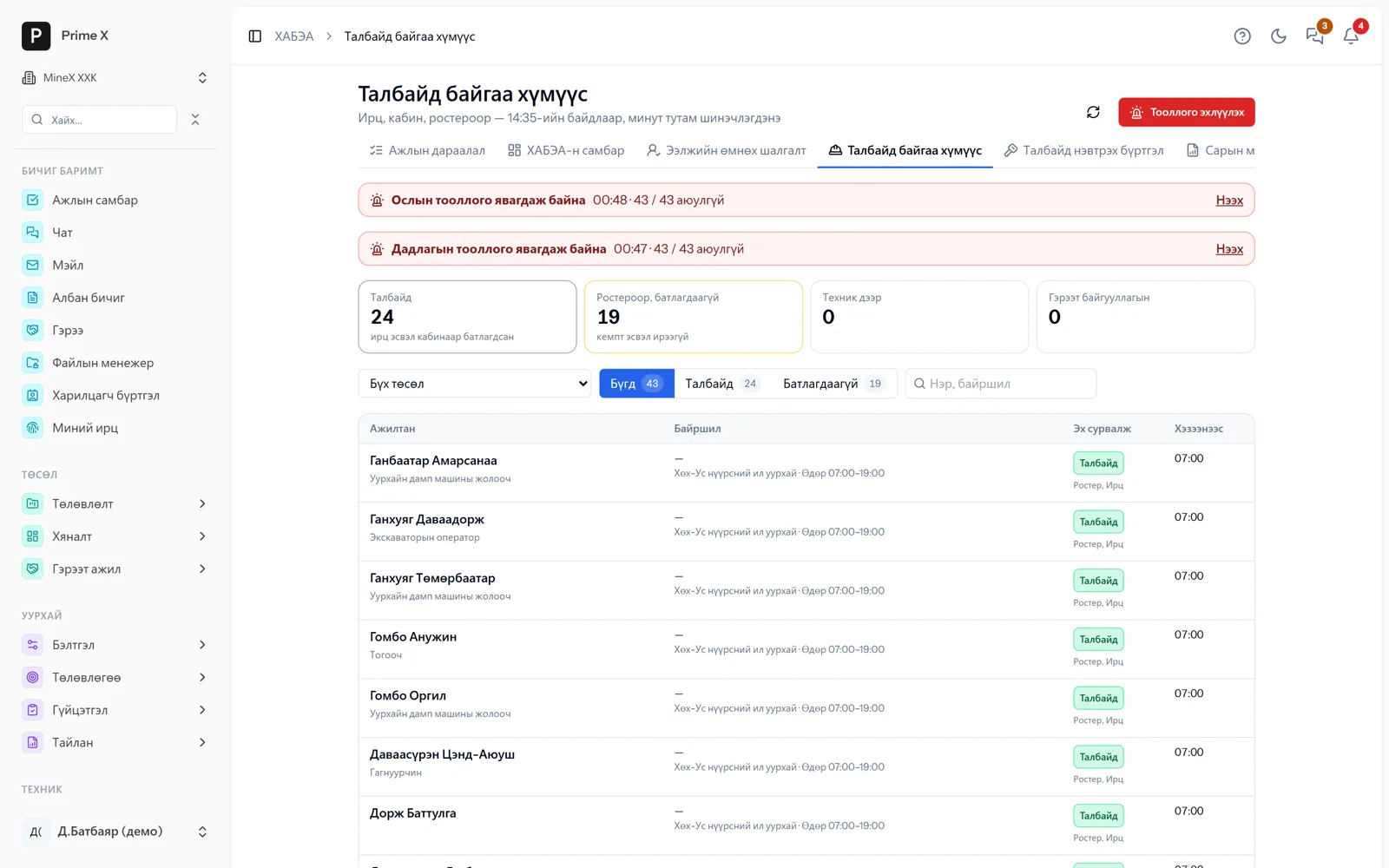
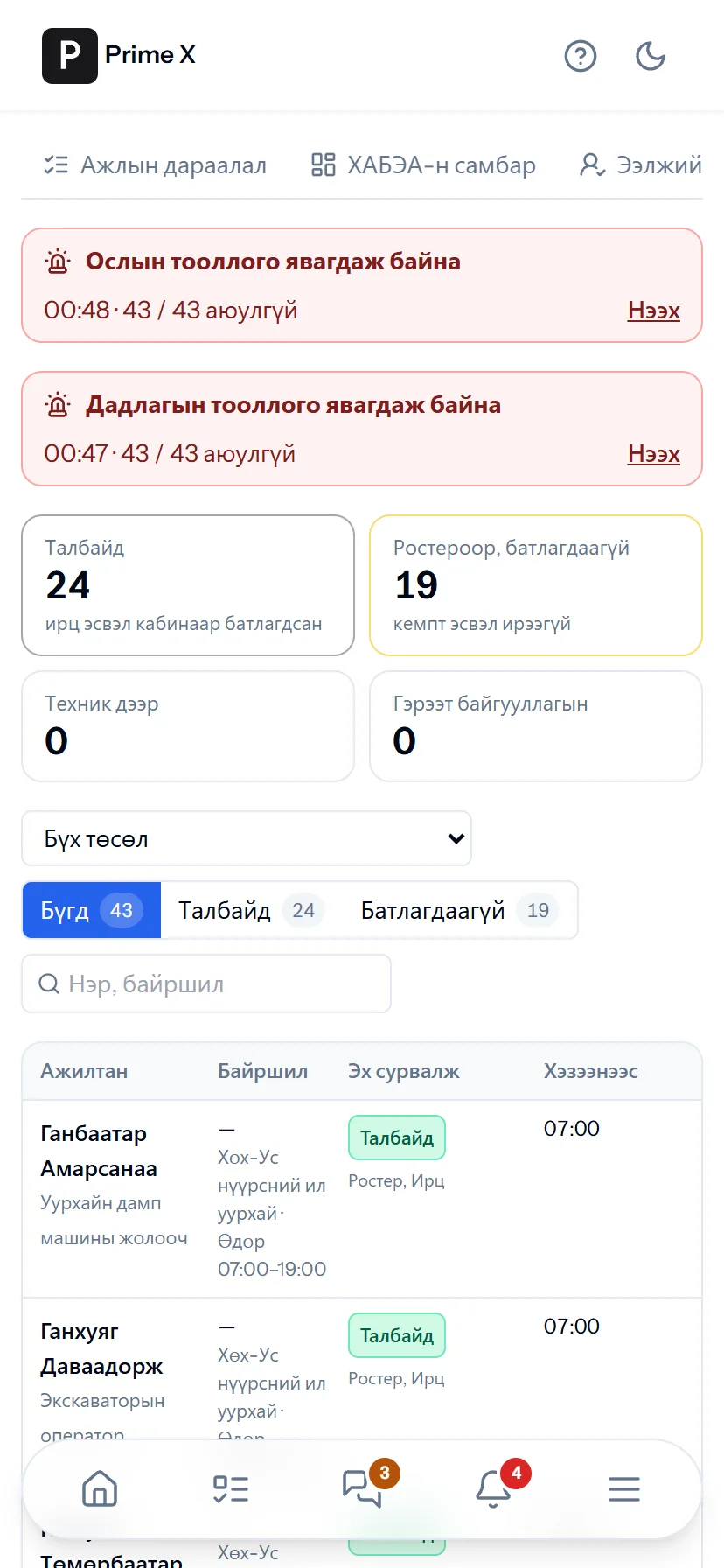
Who is on site right now — by attendance, cab and roster, every minute (ILO C176). Emergency and drill headcount: everyone arriving at the muster point marks “Safe” by phone.
Spotlight: actions until closed
Inspection findings, incident conclusions, extra risk controls — all in one list with an owner
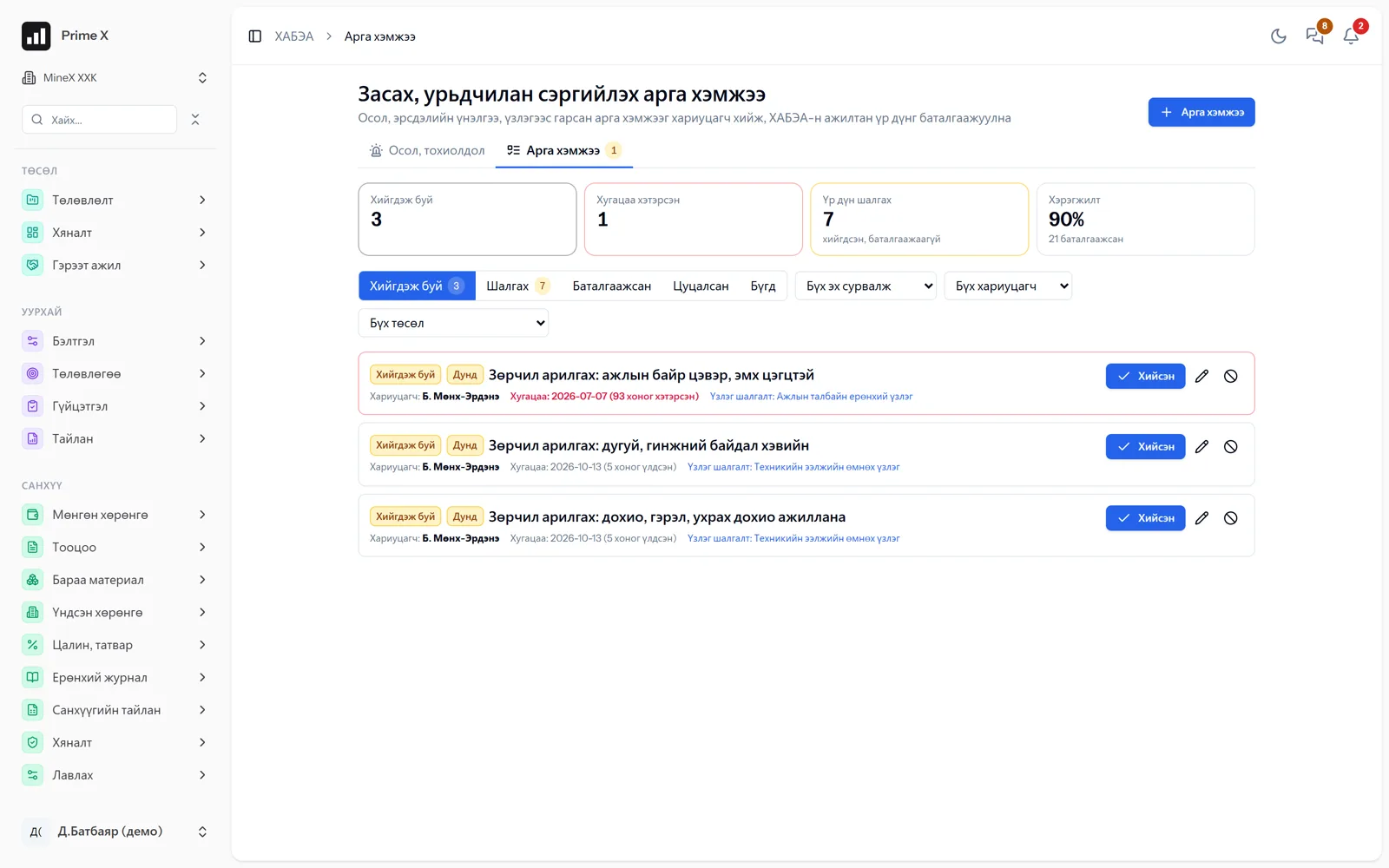
Every action, wherever it came from (inspection, incident, risk assessment, an employee’s hazard report), goes into one list with an owner and a deadline. Overdue items turn red on the dashboard and in notifications. To close one you write what was done and attach a photo if needed. Health information is visible only to the HSE manager.
Great on the phone too
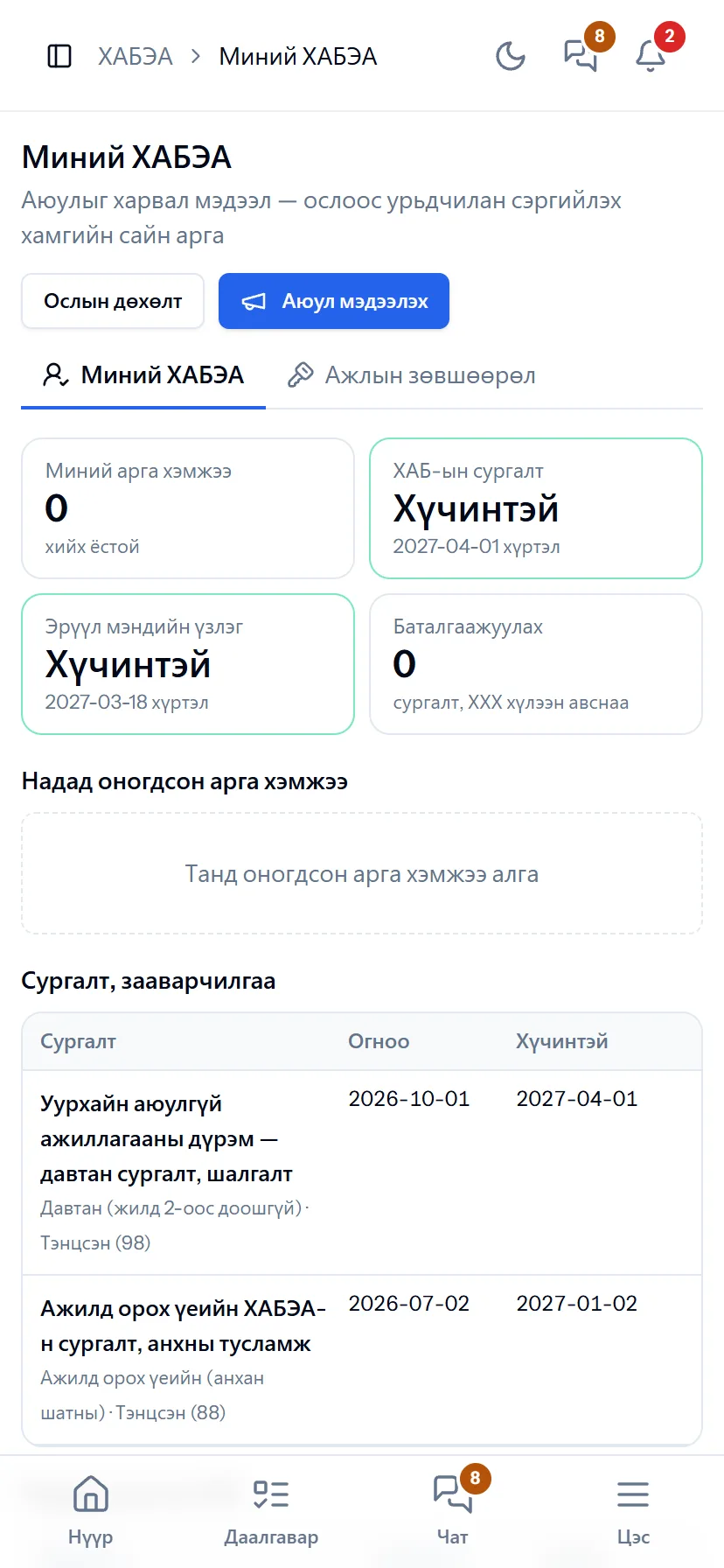
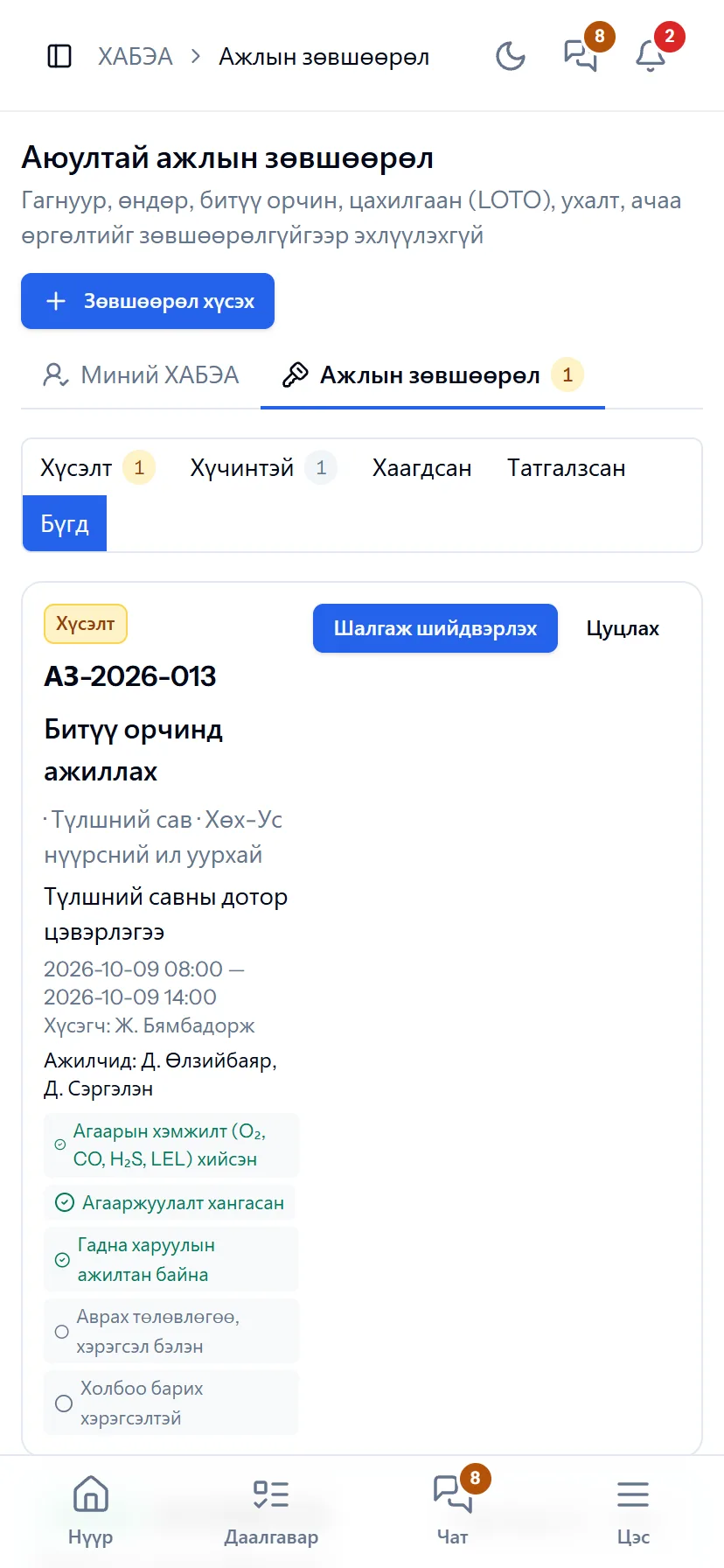
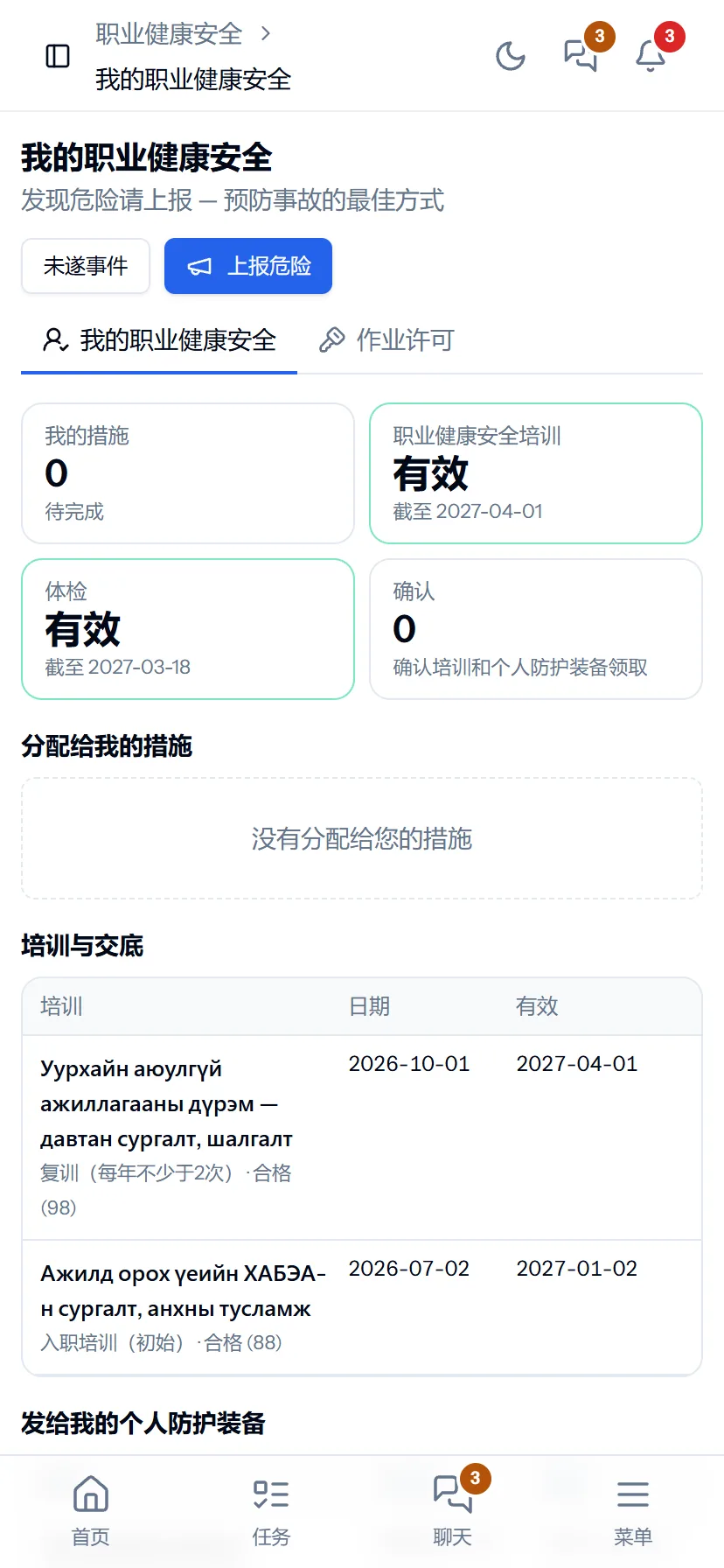
My HSE — on every employee’s phone
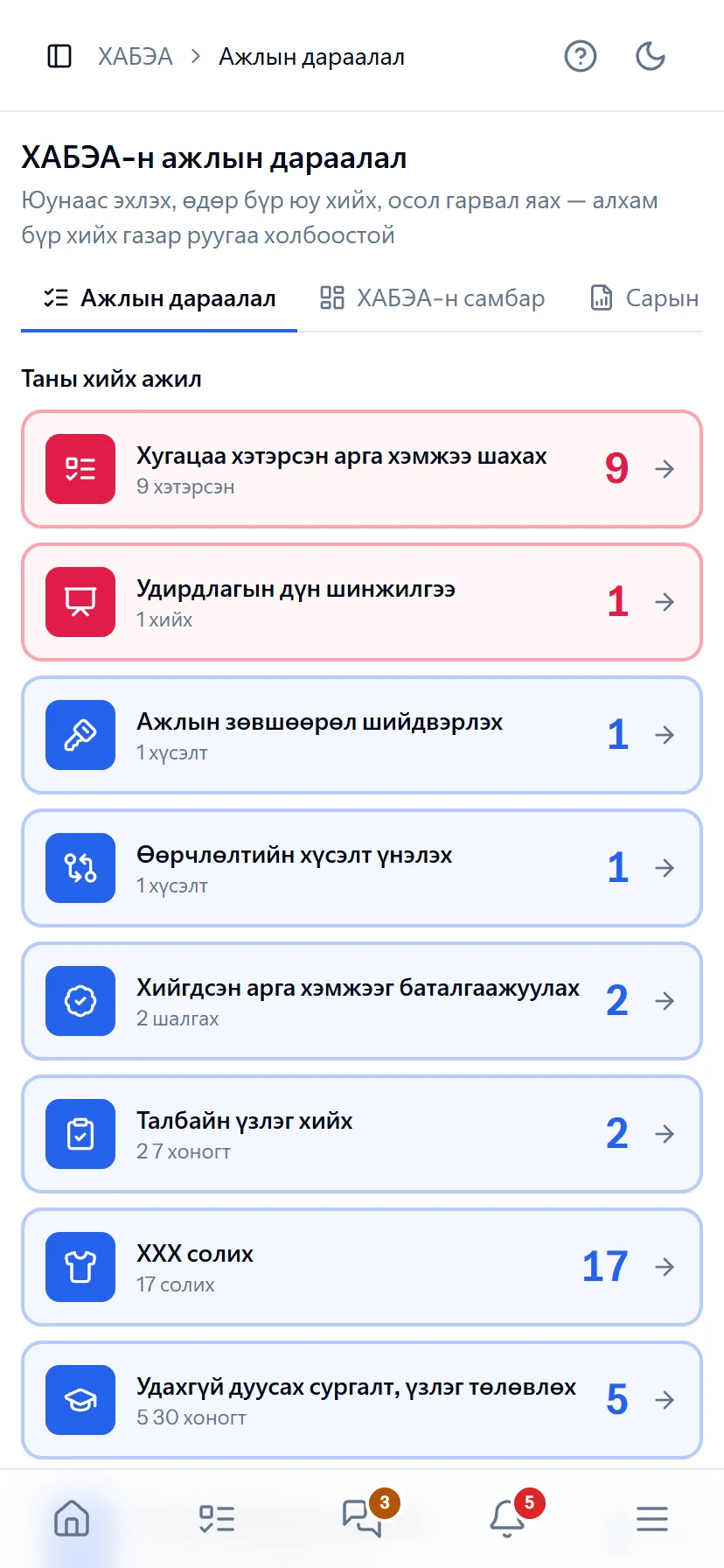
See a hazard, report it with a photo on the spot. Confirm training and PPE received. Request a hot-work permit from the phone and see it approved. The HSE engineer sees today’s to-do in the “Work queue” on the phone.
- Same account, same permissions — no difference between computer and phone
- Bottom menu: Home, Tasks, Chat, Menu — one tap
- No app to install, opens from the browser; Web Push notifications
What is included
Features of the HSE section
Prevention
- Risk assessment — probability × consequence, hierarchy of controls
- Weekly inspections, checklists
- Work permits — hot work, work at height, electrical
- Hazard reporting — every employee from the phone
Employees
- Induction, refresher training, briefings
- PPE issue — tied to warehouse issues, replacement dates
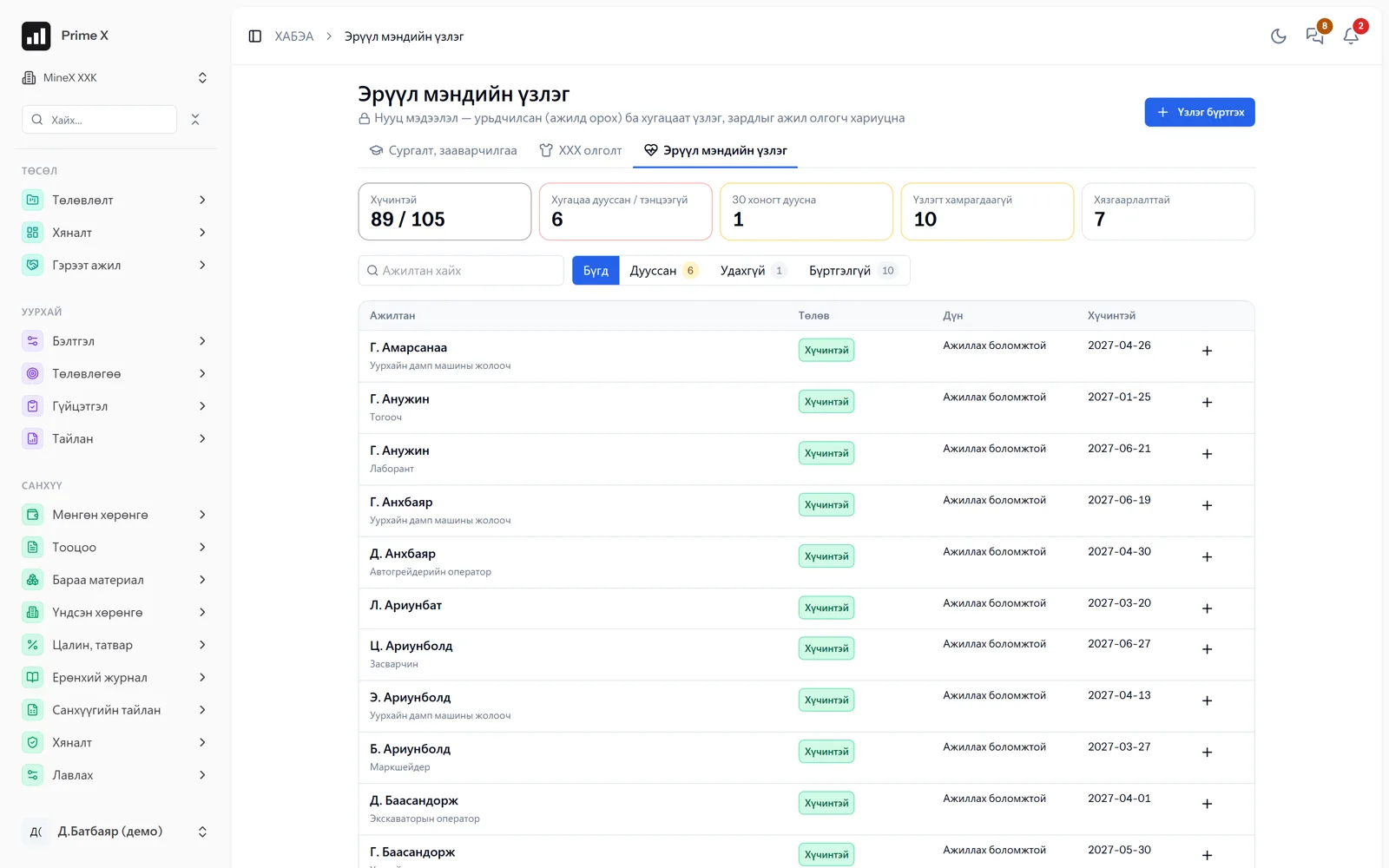
- Medical checks — expiry reminders, confidentiality
- My HSE — confirm training and PPE
Incidents, control
- Incidents, near misses — investigation, act (Gov. Res. 2015/269)
- Actions — owner, deadline, closure
- Dashboard — incident pyramid, man-hours, LTIFR, TRIFR, frequency/severity rates
- Monthly report for the inspection authority, Excel
Everyone on site (ILO C176)
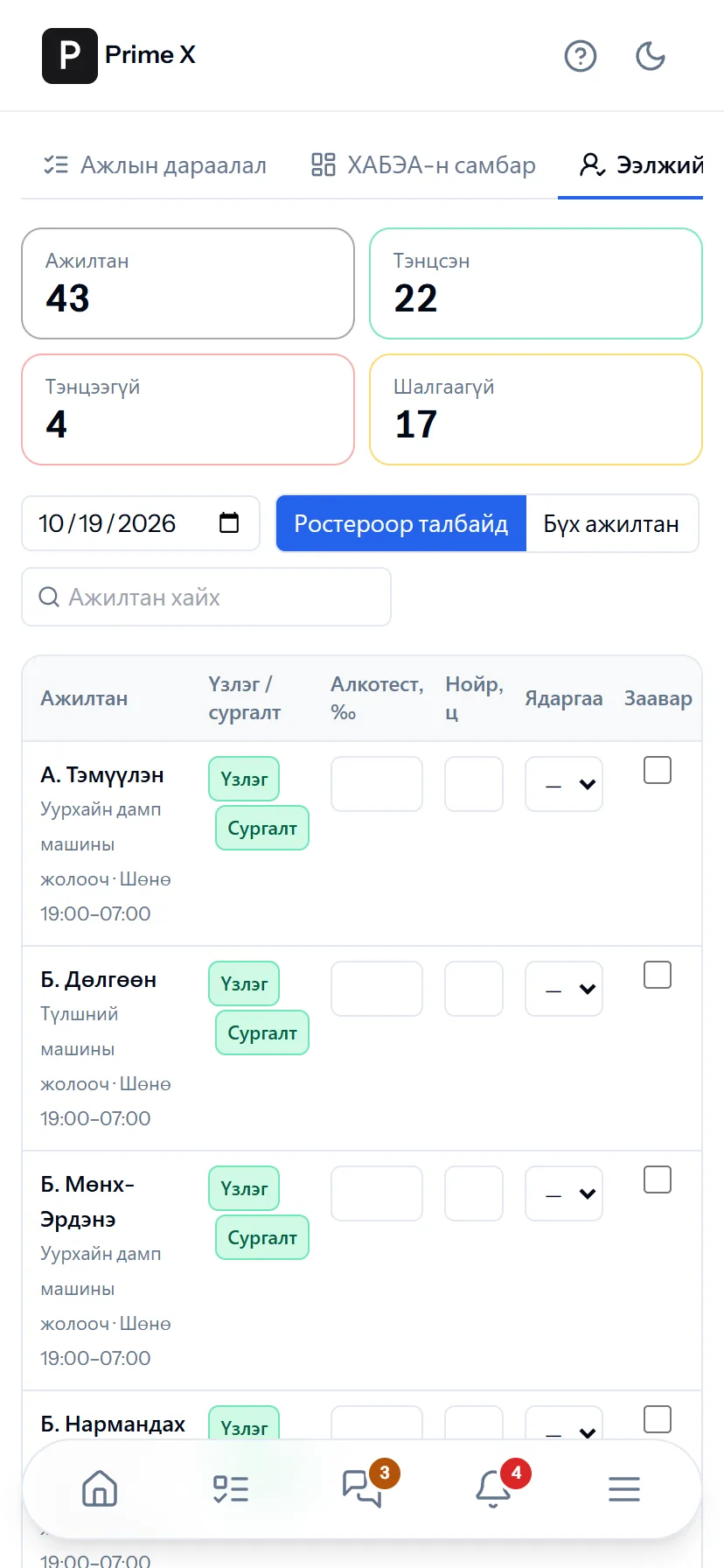
- Pre-shift check — breathalyser, sleep, fatigue, briefing; if failed, the Cab and work records are blocked
- People on site — by attendance, cab and roster, every minute
- Emergency / drill headcount — mark “Safe” by phone at the muster point
- Contractor and visitor site access — no entry without a briefing; man-hours count toward LTIFR
Management system (ISO 45001)
- Compliance board — every clause green / yellow / red
- Policy (versioned), objectives — indicators automatic
- Legal requirements, compliance evaluation
- Management of change, emergencies, drills
- Contractor criteria, TRIFR
- Consultation meetings, internal audit, management review
Better in real life
Screenshots show only a small part of the system
A screenshot shows just one moment. On the real system, when the dispatcher changes a status you see the trip report change, the act appear and the ledger entry go in. The best way is 30 minutes together on your company’s data.
- With your equipment, employees and project names
- Questions answered on the spot and shown on screen
- Online or at your office
- No obligation, no charge
See it on the real system
Request a walkthrough Try the dispatcherThere is no open demo. Walkthroughs are done only at your request, for your company.
Ready to run your company on one system?
Screenshots do not fully show how it works in practice. We give a 30-minute walkthrough on your company’s data and draw up an implementation plan together — office, factory, clinic, road or mine, the whole system or a single module. If you have foreign investors we show the English and Chinese interfaces too.