Procurement & warehouse · Request → approve → issue / purchase → reconcile
One flow from an employee’s request to the supplier payment, and everyone does only their own step
An employee requests by phone, management approves, the storekeeper issues from the warehouse or raises a purchase. Quotations, orders, freight, receiving and reconciliation — every discrepancy on record.
- Feature group
- 3
- Action
- 12
- Flow step
- 6
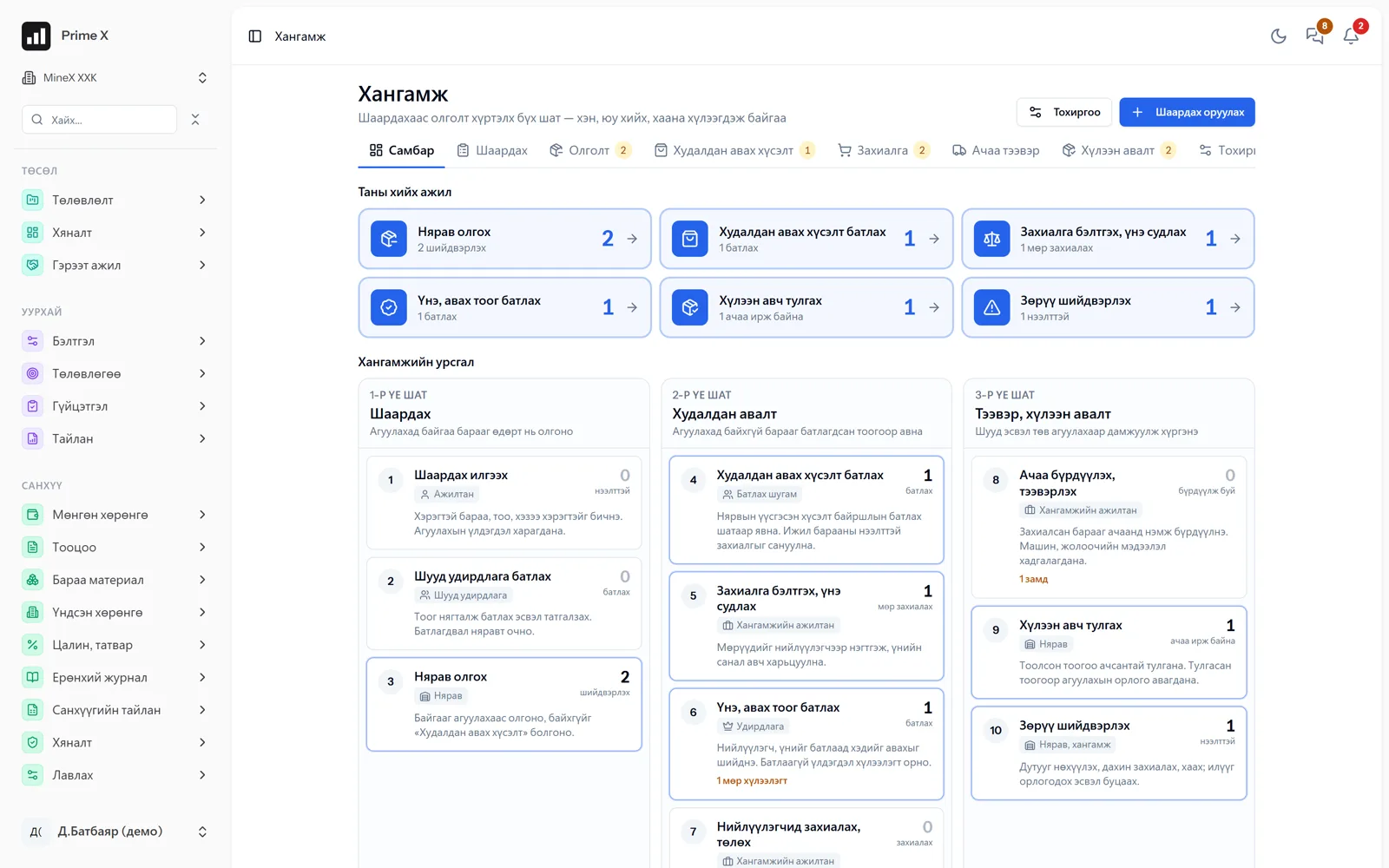
How it works
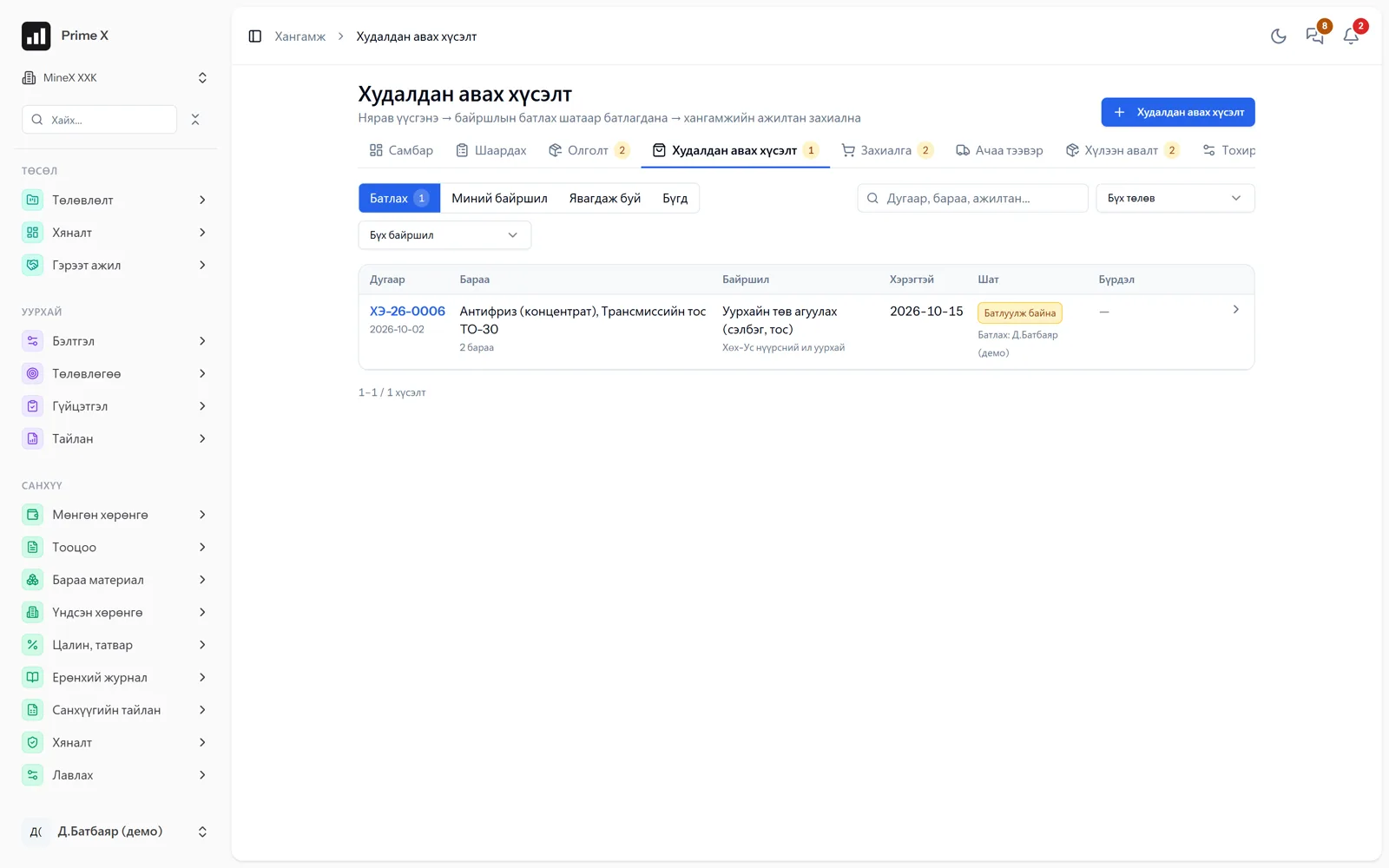
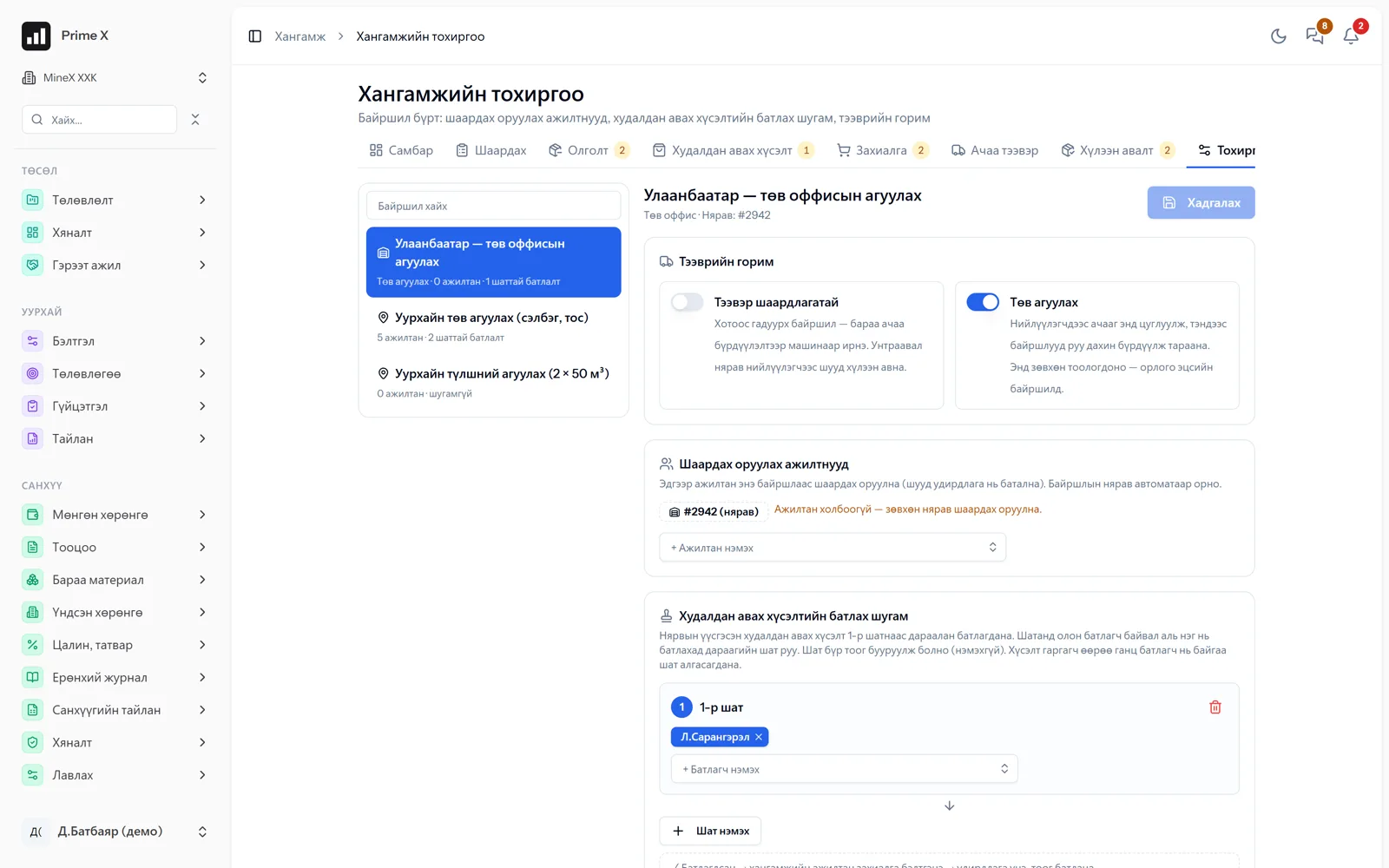
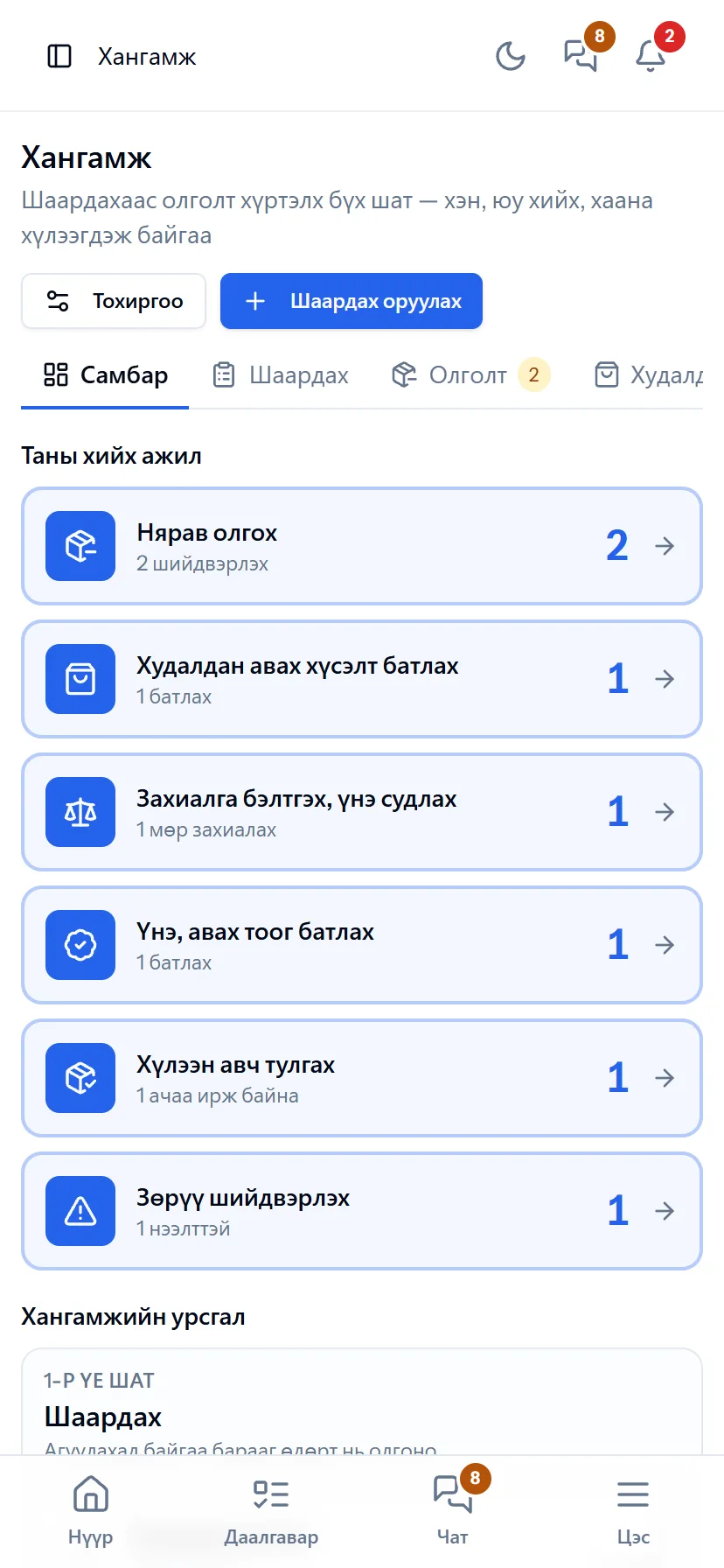
Every employee enters a “Request” from the procurement board: what, how many, when, for which project. Approval stages and members are configured per location, so the request reaches the right person. The storekeeper issues directly from warehouse stock; if stock is short, it becomes a purchase request and goes to the procurement officer. The order compares 3 suppliers’ quotations and management approves price and quantity. Freight is registered with its truck and driver, and on receipt the counted quantity is reconciled with the order: a shortage or damage creates a discrepancy and whether it was resolved later is kept. Received goods are posted to finance as warehouse income in FIFO batches and as a supplier payable. Every request’s path is visible as a log of who did what and when.
Request a walkthroughThe picture is only a small part. On the real system Procurement & warehouse section works at every tap and links straight to the other sections — let us show you.
Request a walkthroughScreens
Procurement & warehouse — screens in the system
Demo company screens with sample data. Scroll down to see them one by one.
1 / 9
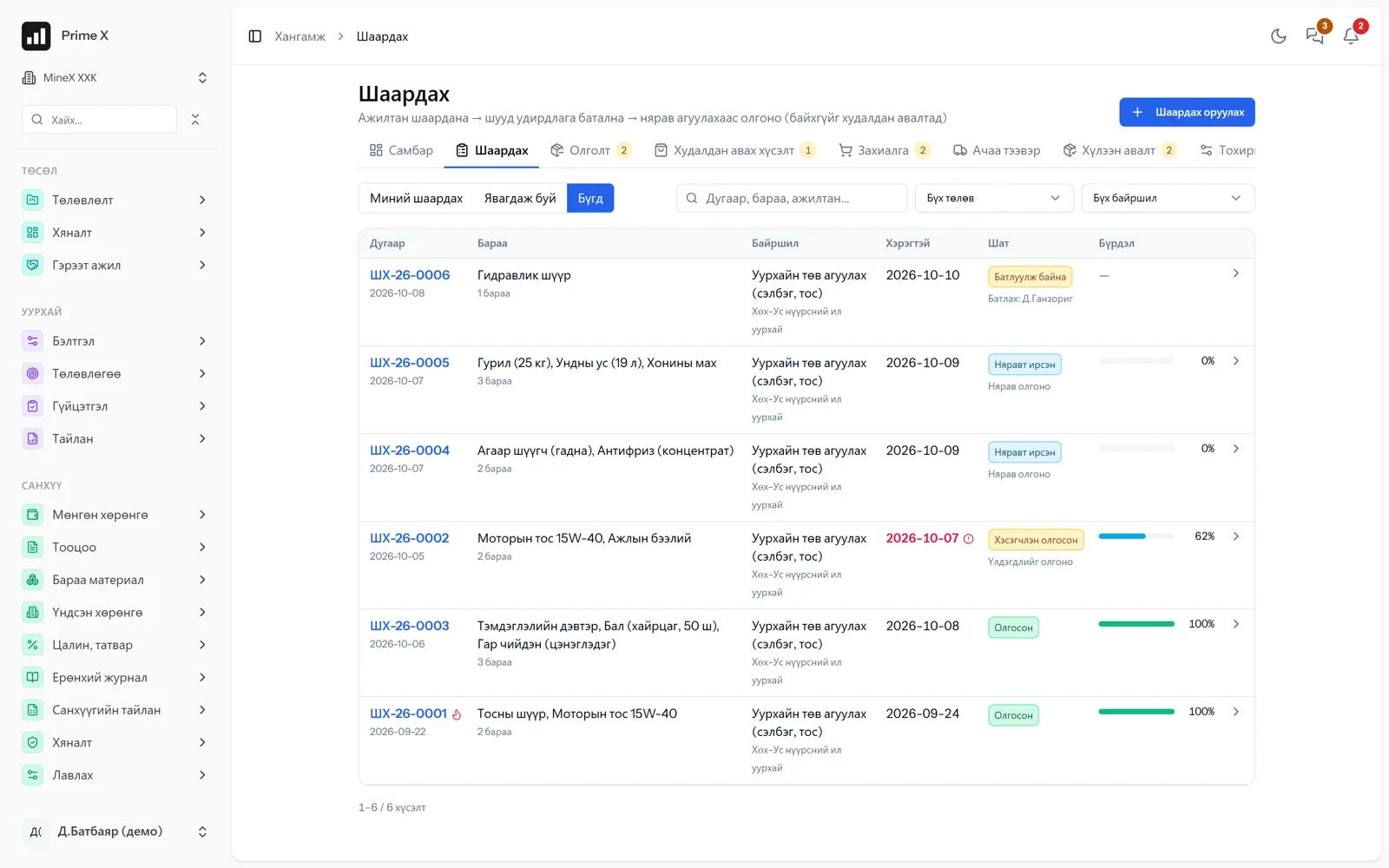
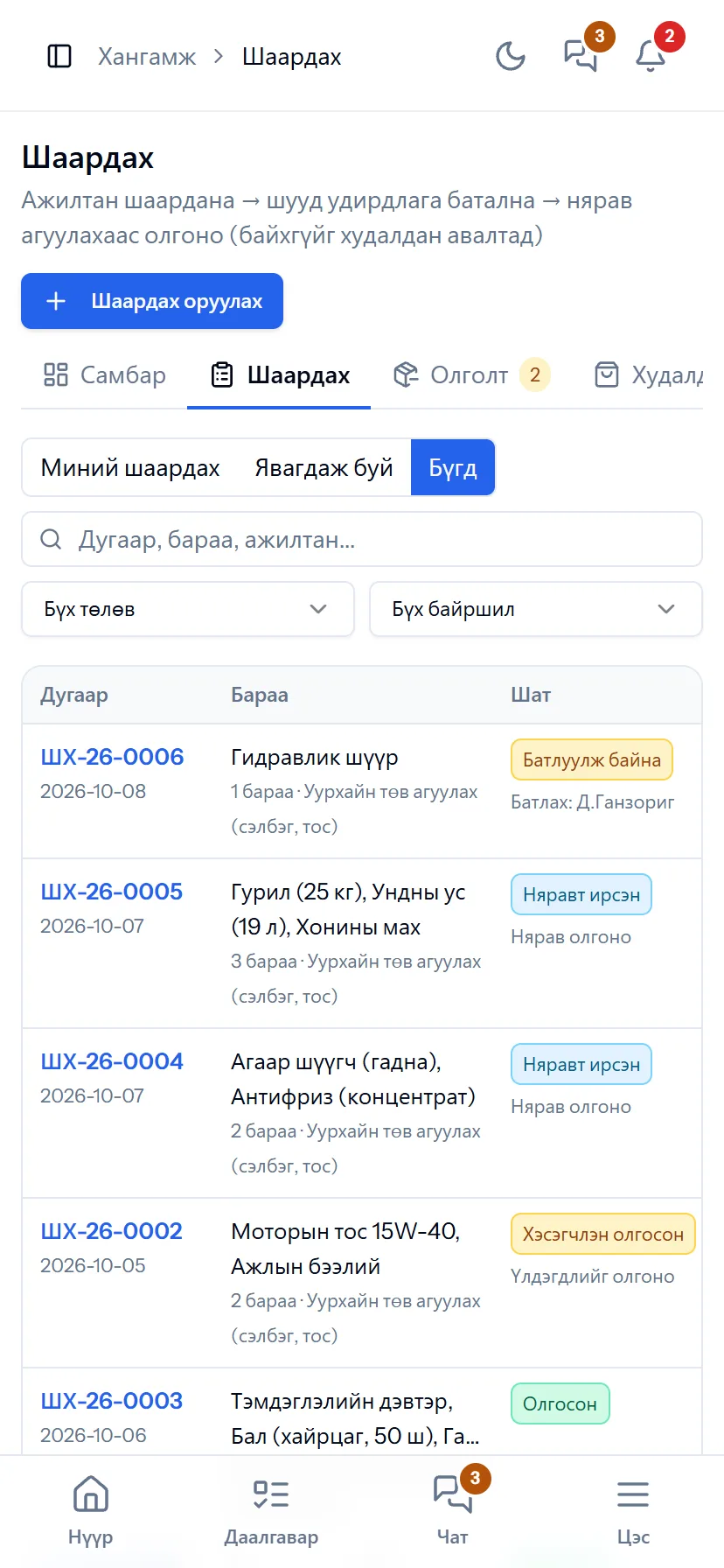
Every employee’s requests: draft, sent, approved, partly issued — every status in colour.
Spotlight: reconciliation and discrepancies
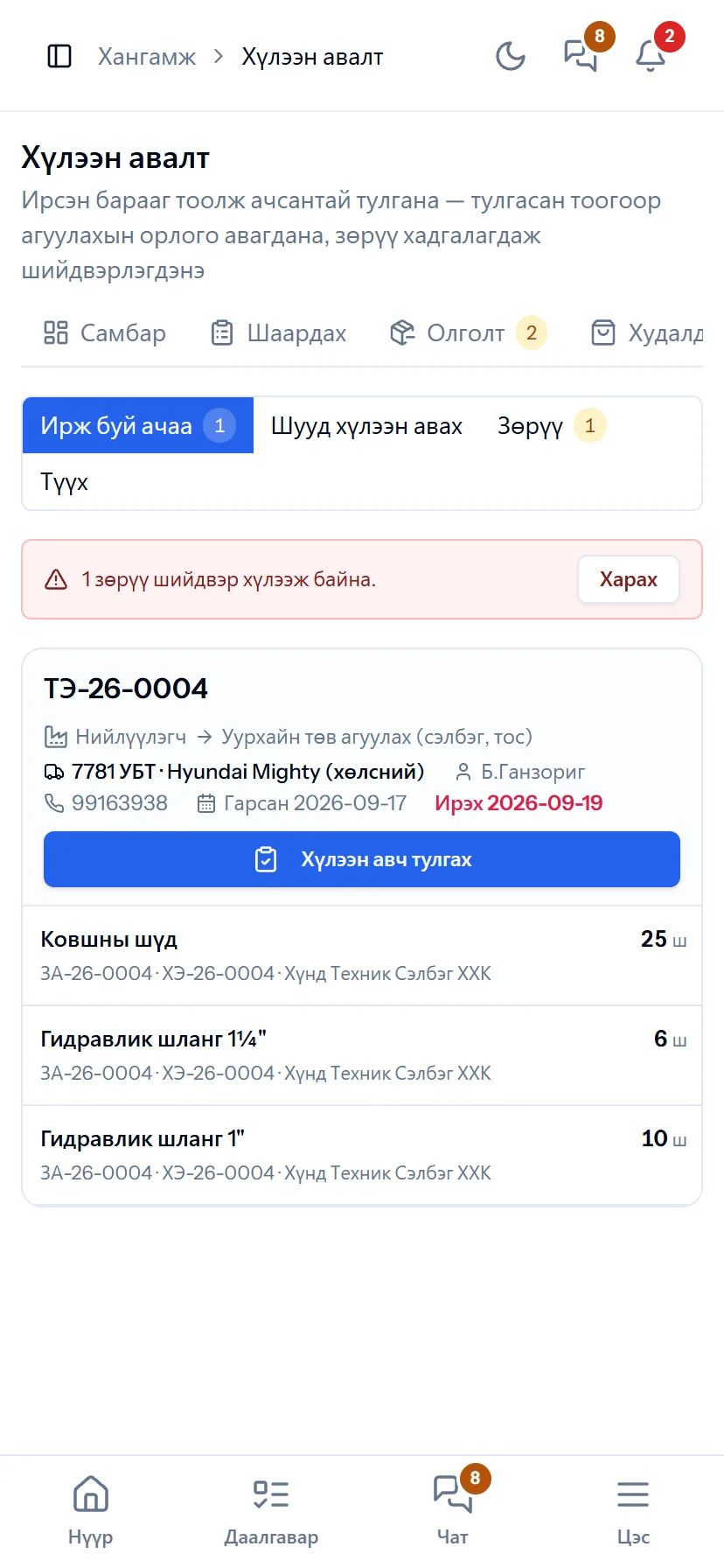
If the ordered and delivered quantities differ, the system asks: “What about the shortage?”
On receipt the counted quantity of every line is reconciled with the order. If everything arrived correctly, one tap. If short or damaged, a discrepancy is recorded and you choose: issue now, buy again, or decide later. The discrepancy stays as a “to-do” on the procurement and management boards — it is not forgotten.
Great on the phone too
Requests and receiving — from the phone
Field staff have no computer: they enter a request by phone and see whether it was approved. The storekeeper counts and records receipts at the warehouse.
- Same account, same permissions — no difference between computer and phone
- Bottom menu: Home, Tasks, Chat, Menu — one tap
- No app to install, opens from the browser; Web Push notifications
What is included
Features of the Procurement & warehouse section
Request, approve
- Request — open to every employee, from the phone
- Approval stages and members per location
- Management approves, rejects, comments
- Board: “Your work”, flow stages
Issue, purchase
- The storekeeper issues from warehouse stock
- If stock is short, a purchase request
- Order — 3 suppliers’ quotations
- Management approves price and quantity (pending)
Freight, receiving
- Freight — truck, driver, timing
- Count and reconcile: short or damaged — discrepancy
- Warehouse income in FIFO batches
- Supplier payable and payment in the ledger
Better in real life
Screenshots show only a small part of the system
A screenshot shows just one moment. On the real system, when the dispatcher changes a status you see the trip report change, the act appear and the ledger entry go in. The best way is 30 minutes together on your company’s data.
- With your equipment, employees and project names
- Questions answered on the spot and shown on screen
- Online or at your office
- No obligation, no charge
See it on the real system
Request a walkthrough Try the dispatcherThere is no open demo. Walkthroughs are done only at your request, for your company.
Ready to run your company on one system?
Screenshots do not fully show how it works in practice. We give a 30-minute walkthrough on your company’s data and draw up an implementation plan together — office, factory, clinic, road or mine, the whole system or a single module. If you have foreign investors we show the English and Chinese interfaces too.