01
Planning
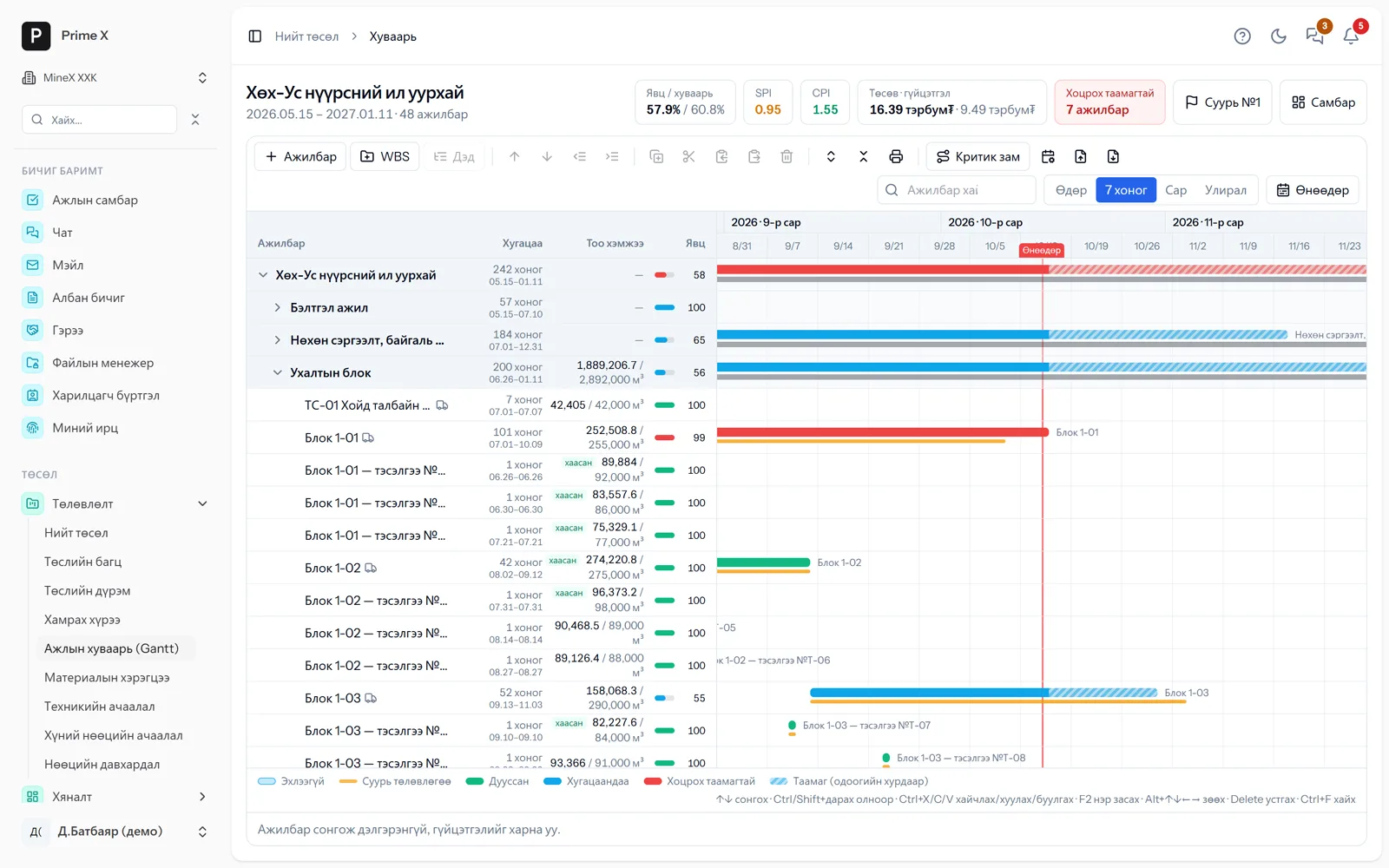
Monthly plan, blocks and blasting, daily tasks — directly linked to the work schedule.
Next step: Roster and equipment
Workflow
8 steps from planning to financial statements. Each step’s output is the next step’s input — no retyping by hand.
Monthly plan, blocks and blasting, daily tasks — directly linked to the work schedule.
Next step: Roster and equipment
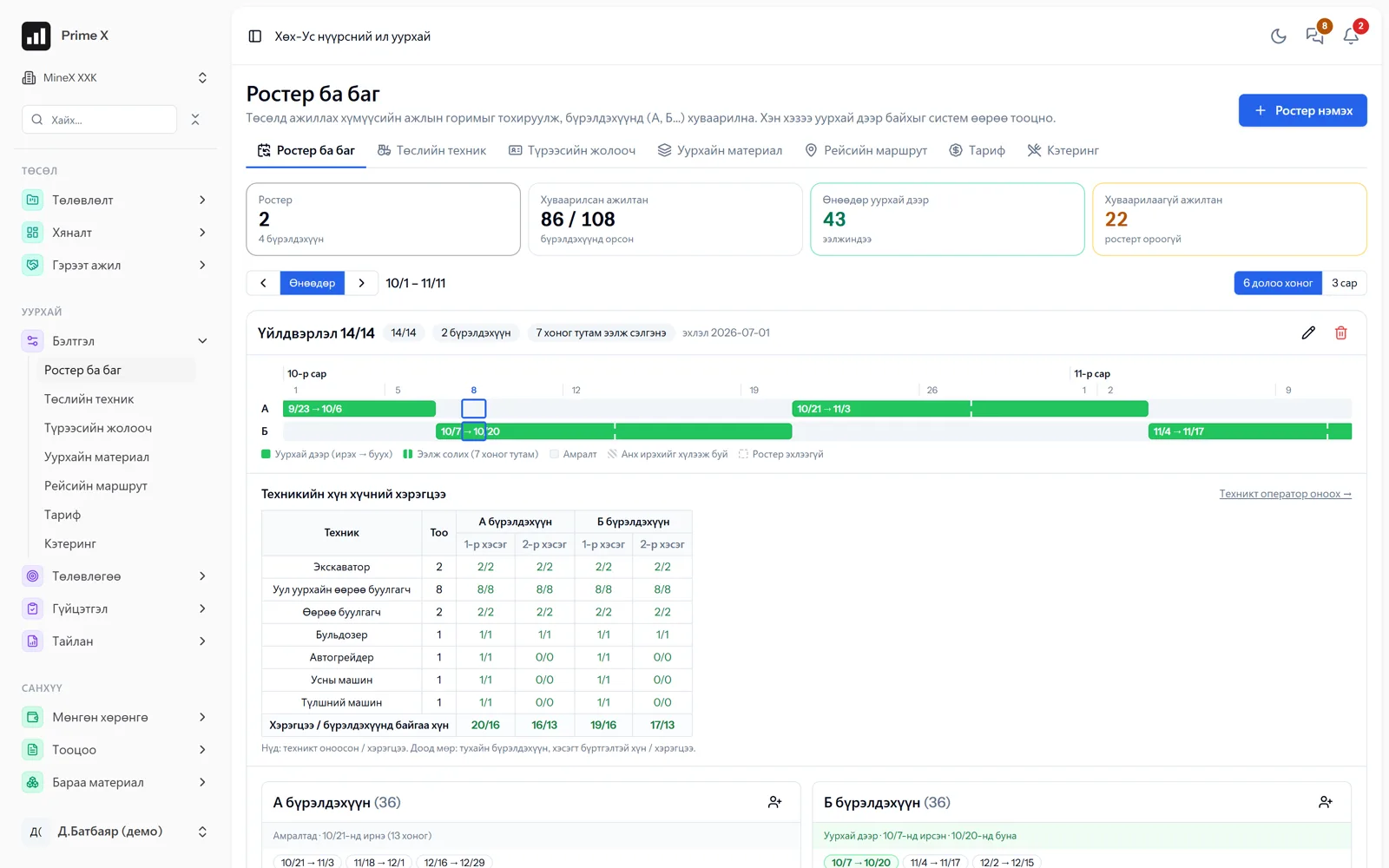
Shifts, crews, project equipment, rental drivers. A mixed roster of own and contractor staff on one project.
Next step: Dispatcher
One table matching the paper waybill 1:1: every row is a machine, drag to change status, trips are counted automatically.
Next step: Trips, fuel, hours
Try the dispatcher →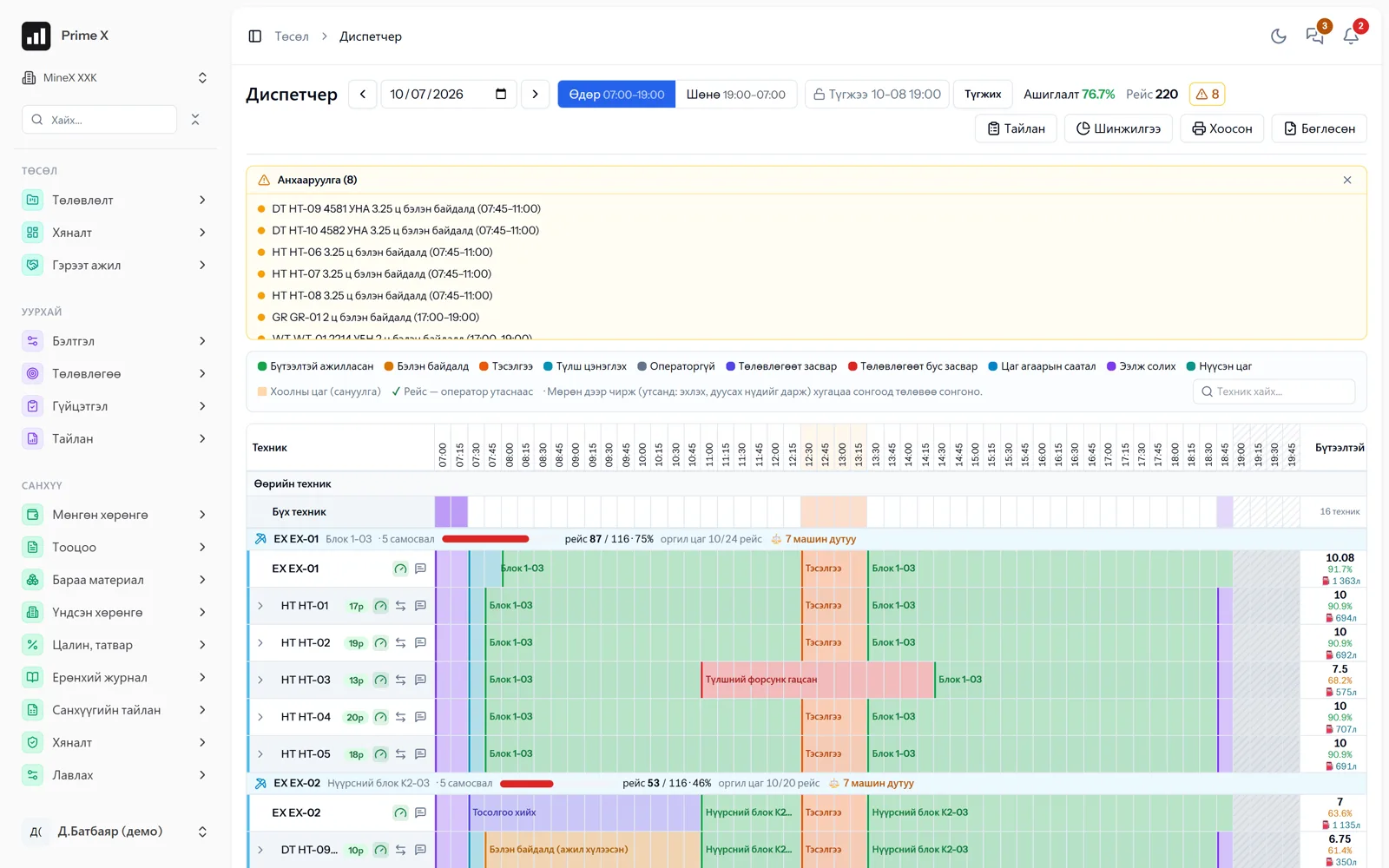
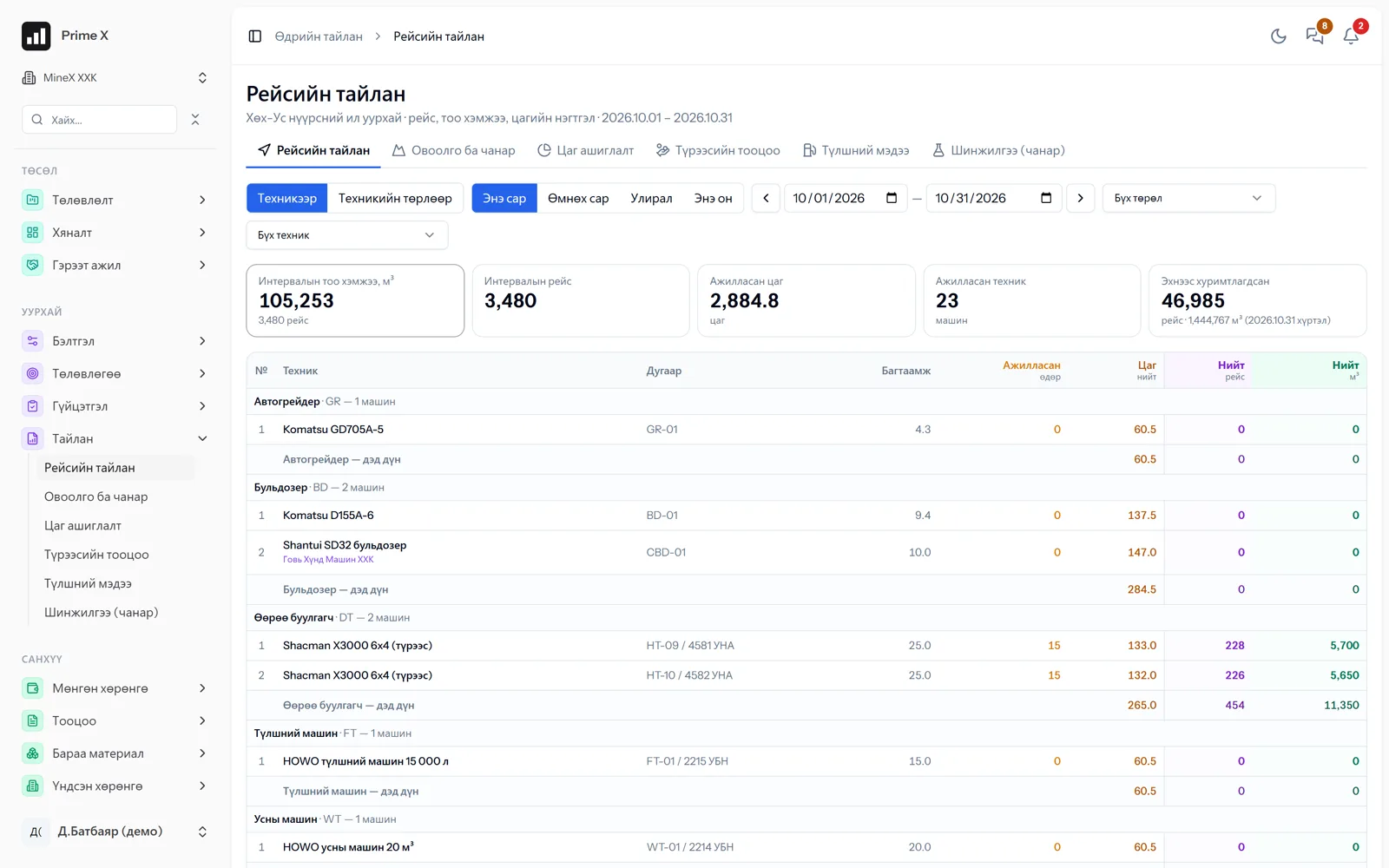
Trip reports, fuel reports, time usage, rental settlements — straight from dispatcher records.
Next step: Survey
Measurement import, layer measurements, stockpiles and quality. Both sides’ measurements are reconciled.
Next step: Performance act
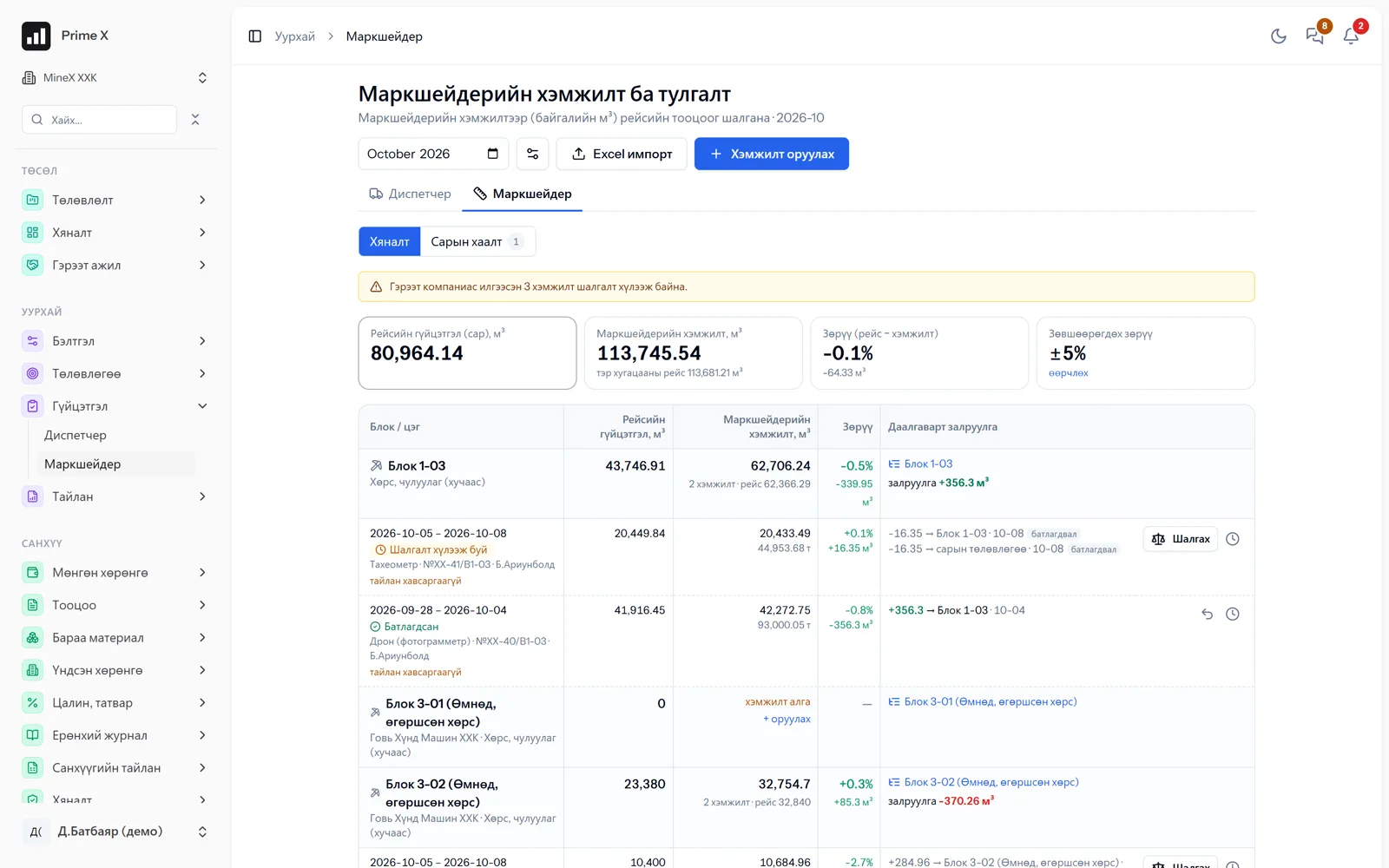
Create acts at contract rates and confirm them with the contractor. Settlements beyond dispute.
Next step: Invoices, receivables
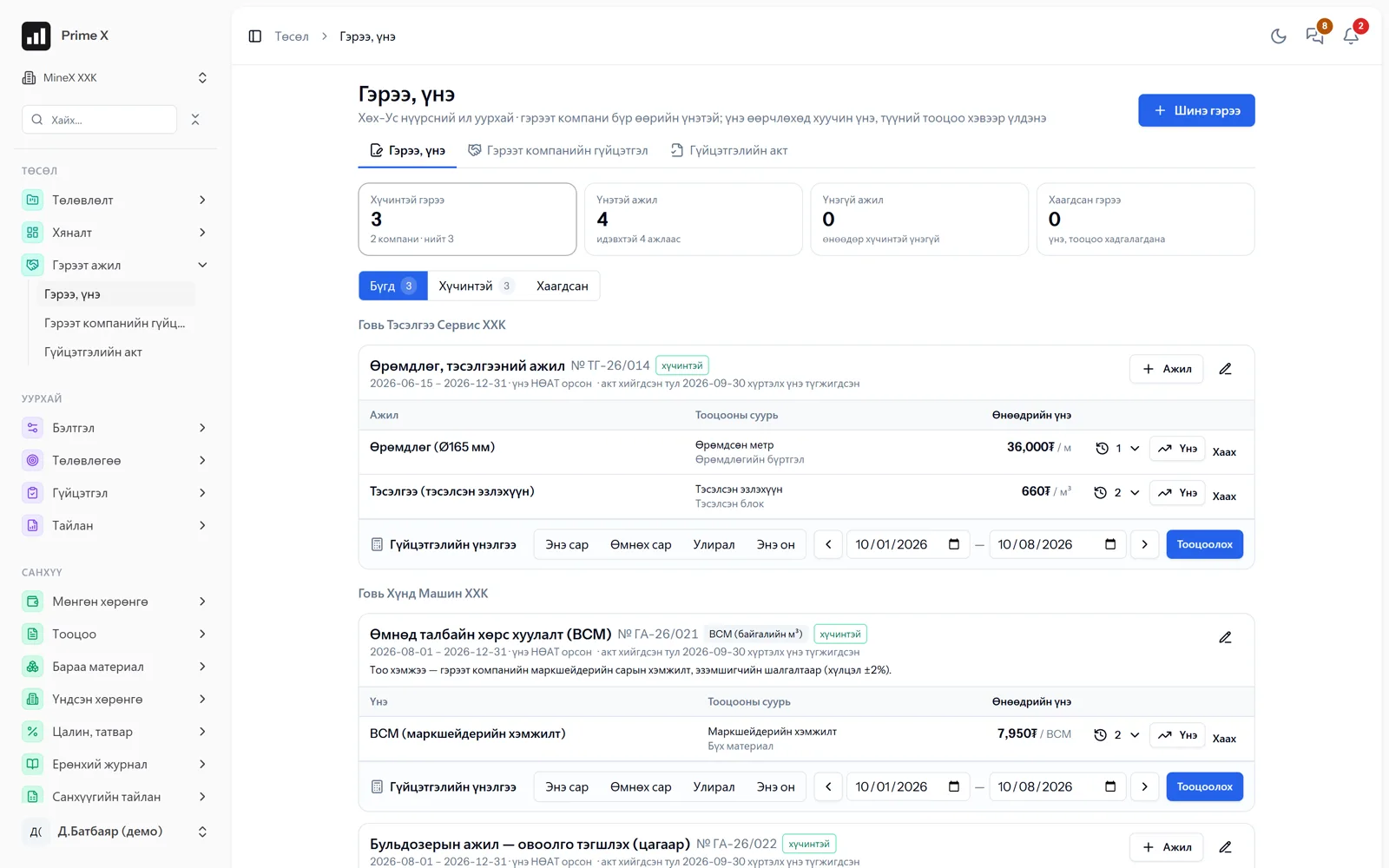
Invoices from acts, receivables register, payment reconciliation.
Next step: Financial statements
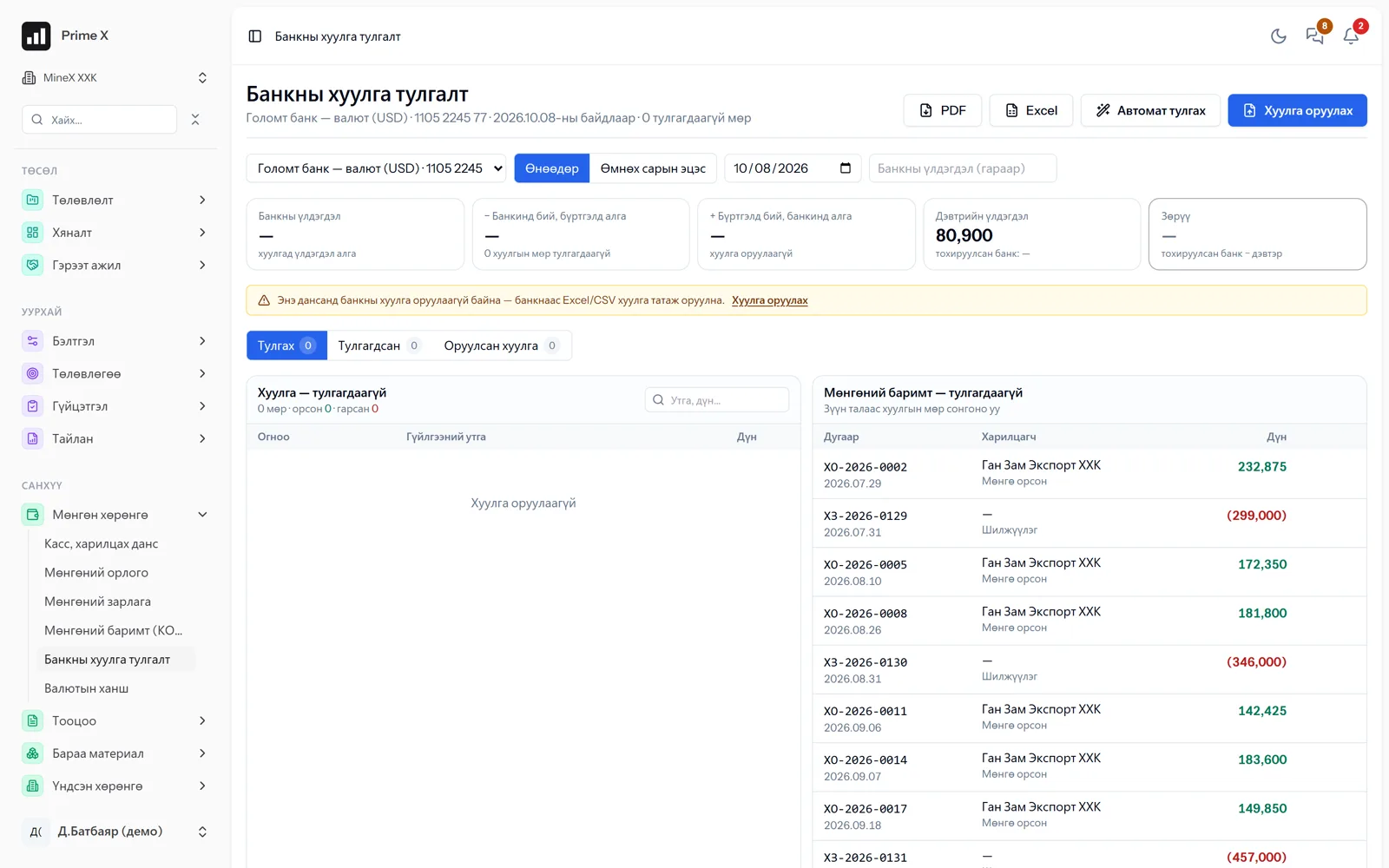
From every transaction posted to the general ledger come the trial balance and Ministry of Finance reports.
Result: Financial statements in the Ministry of Finance formats
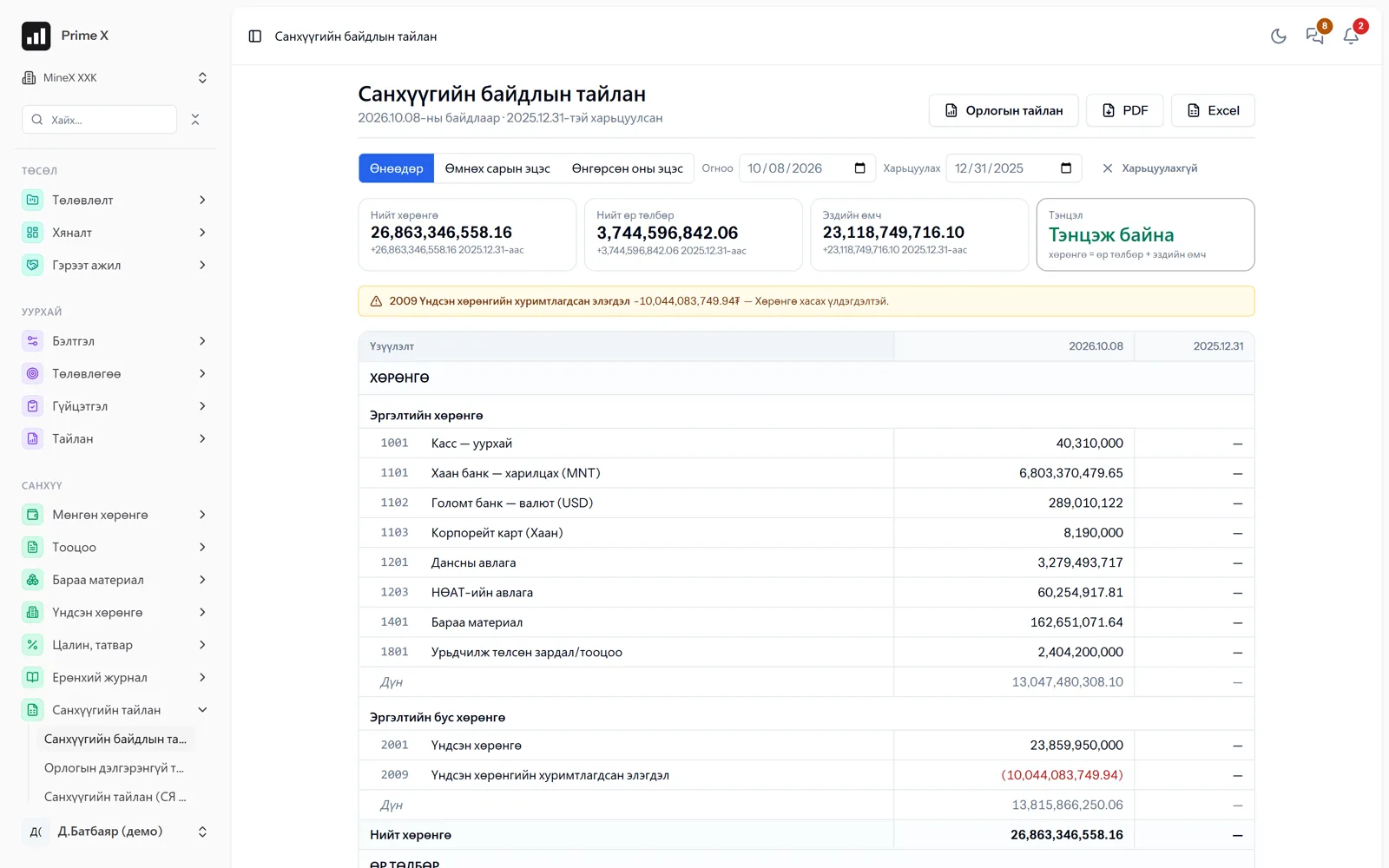
Better in real life
A screenshot shows just one moment. On the real system, when the dispatcher changes a status you see the trip report change, the act appear and the ledger entry go in. The best way is 30 minutes together on your company’s data.
See it on the real system
Request a walkthrough Try the dispatcherThere is no open demo. Walkthroughs are done only at your request, for your company.
Branch flows
Drilling, repairs, procurement, production, HSE and rehabilitation each have their own flow, yet all meet in one project and one general ledger.
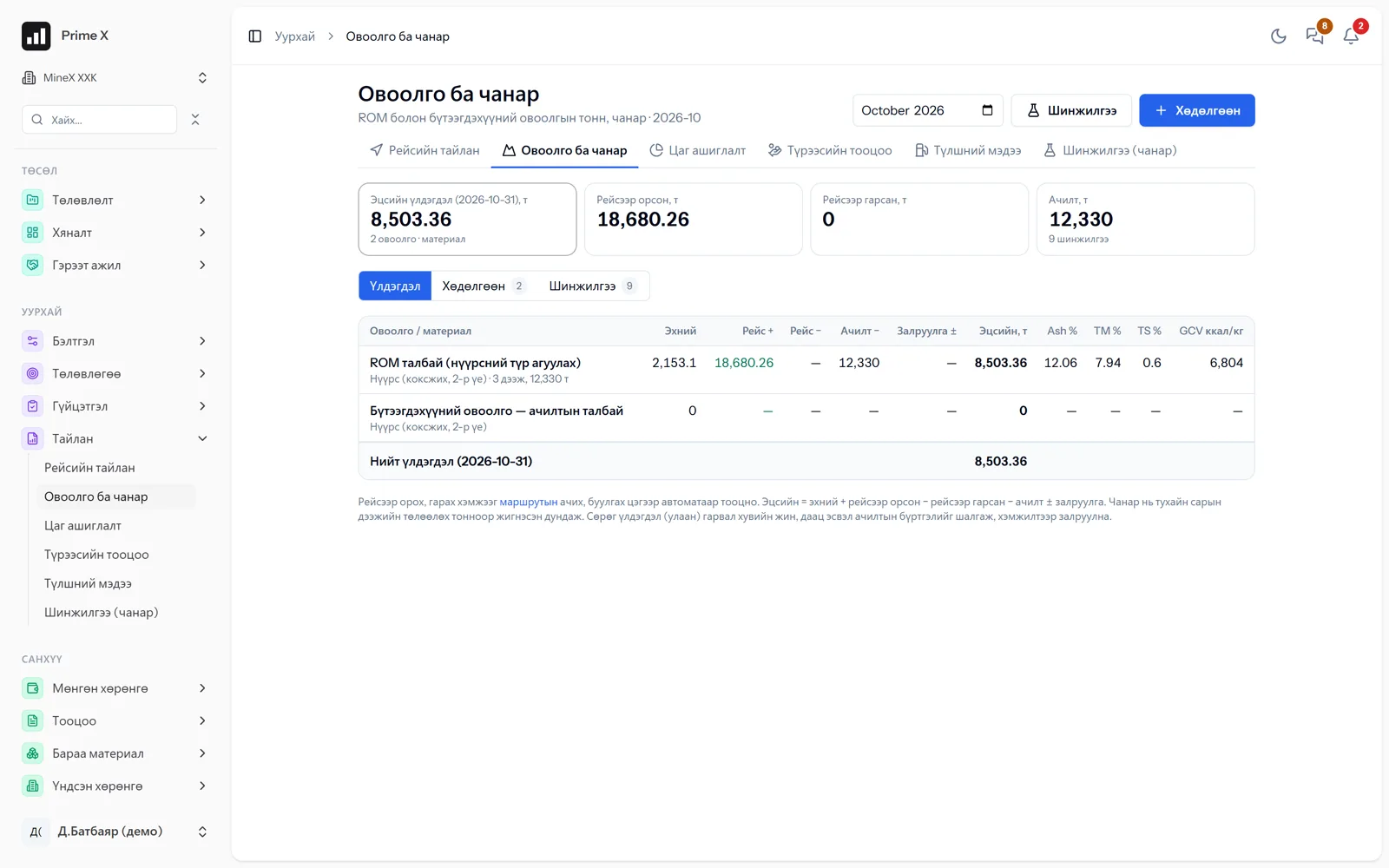
A block becomes a schedule activity, and drilling hours and blasting records feed the loading plan.
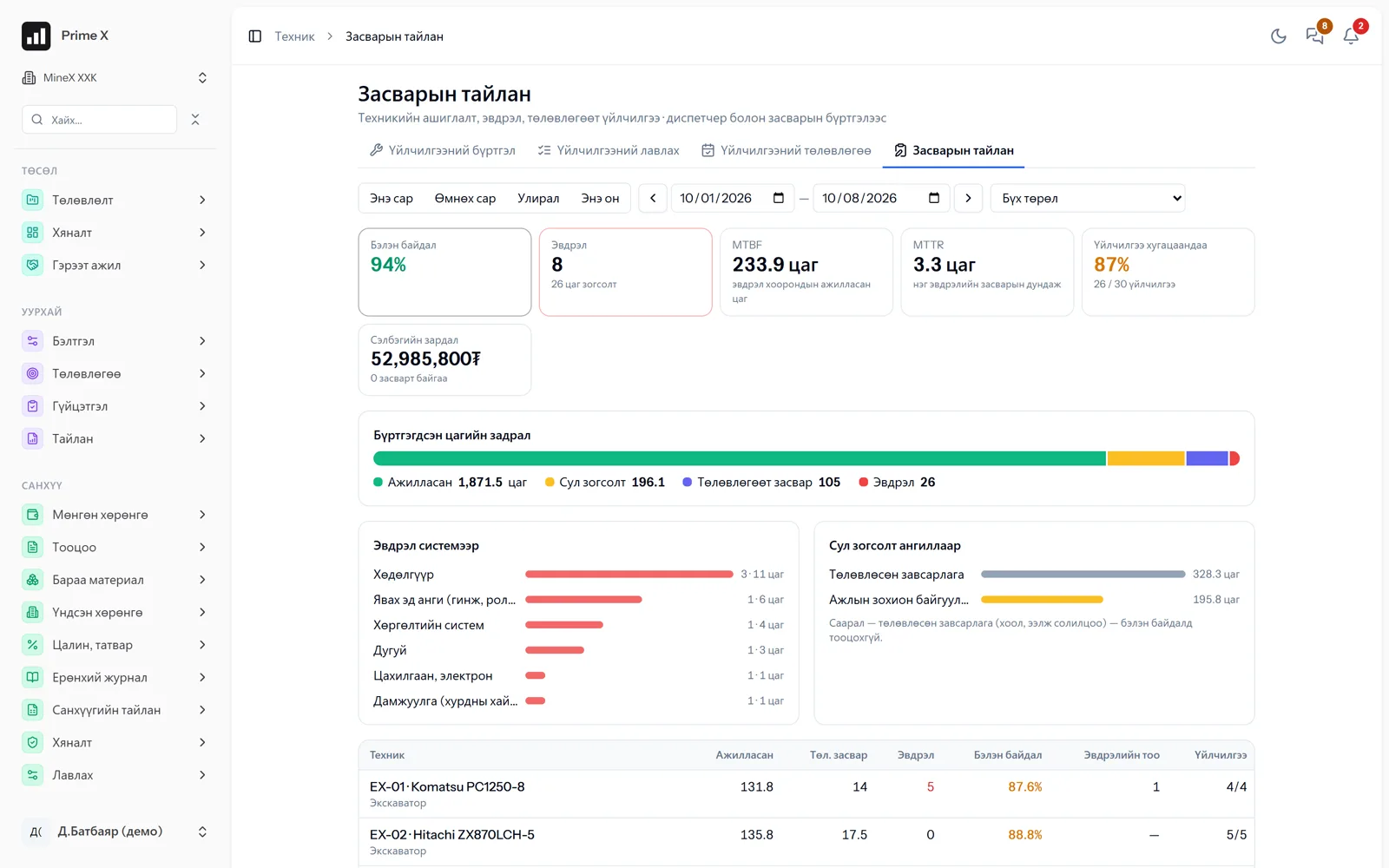
Dispatcher engine hours become service reminders, and repair requests reach the warehouse with their parts consumption.
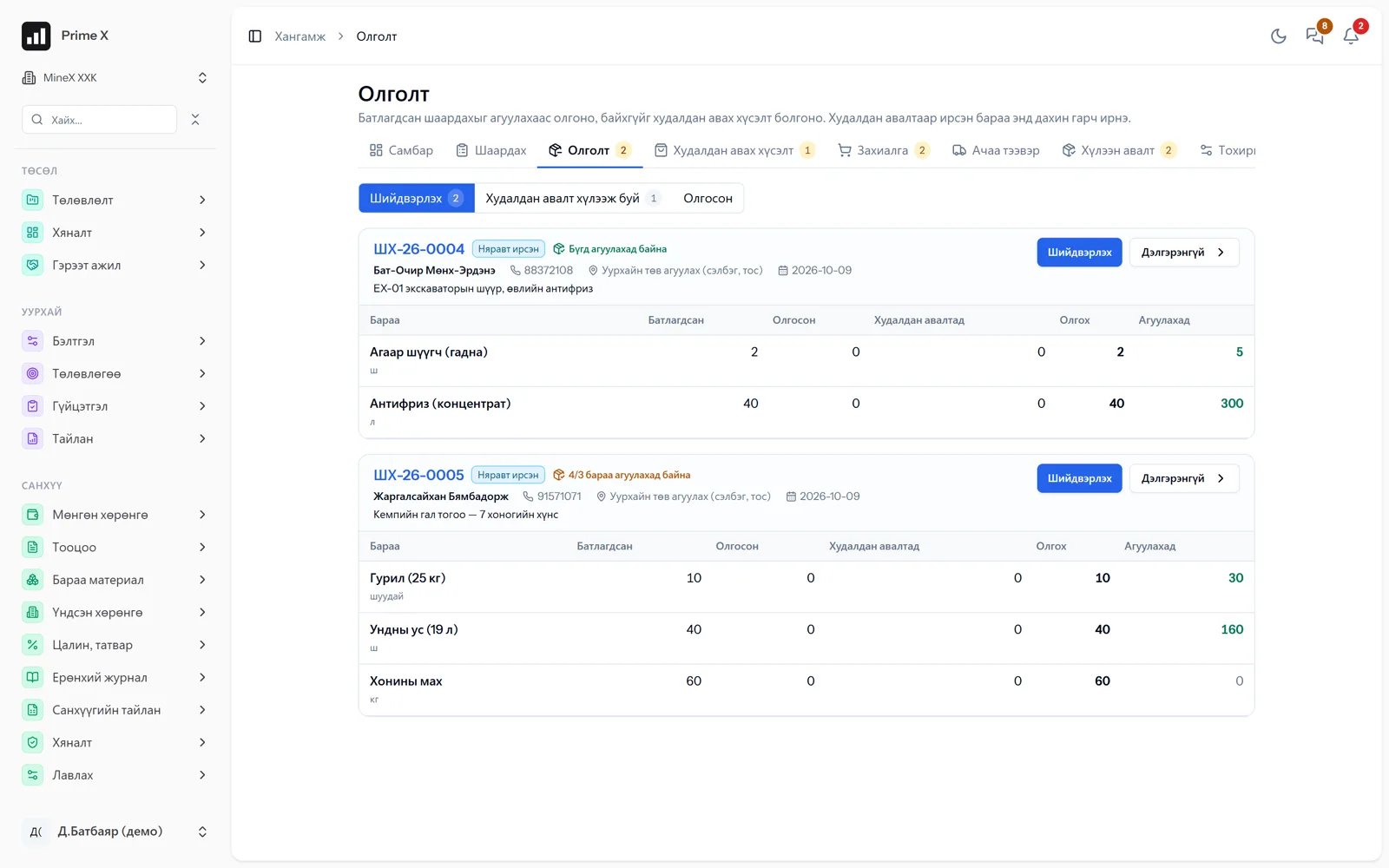
An employee’s request is approved and becomes an issue or an order; on receipt it is reconciled, income goes to the warehouse and the payable to the ledger.
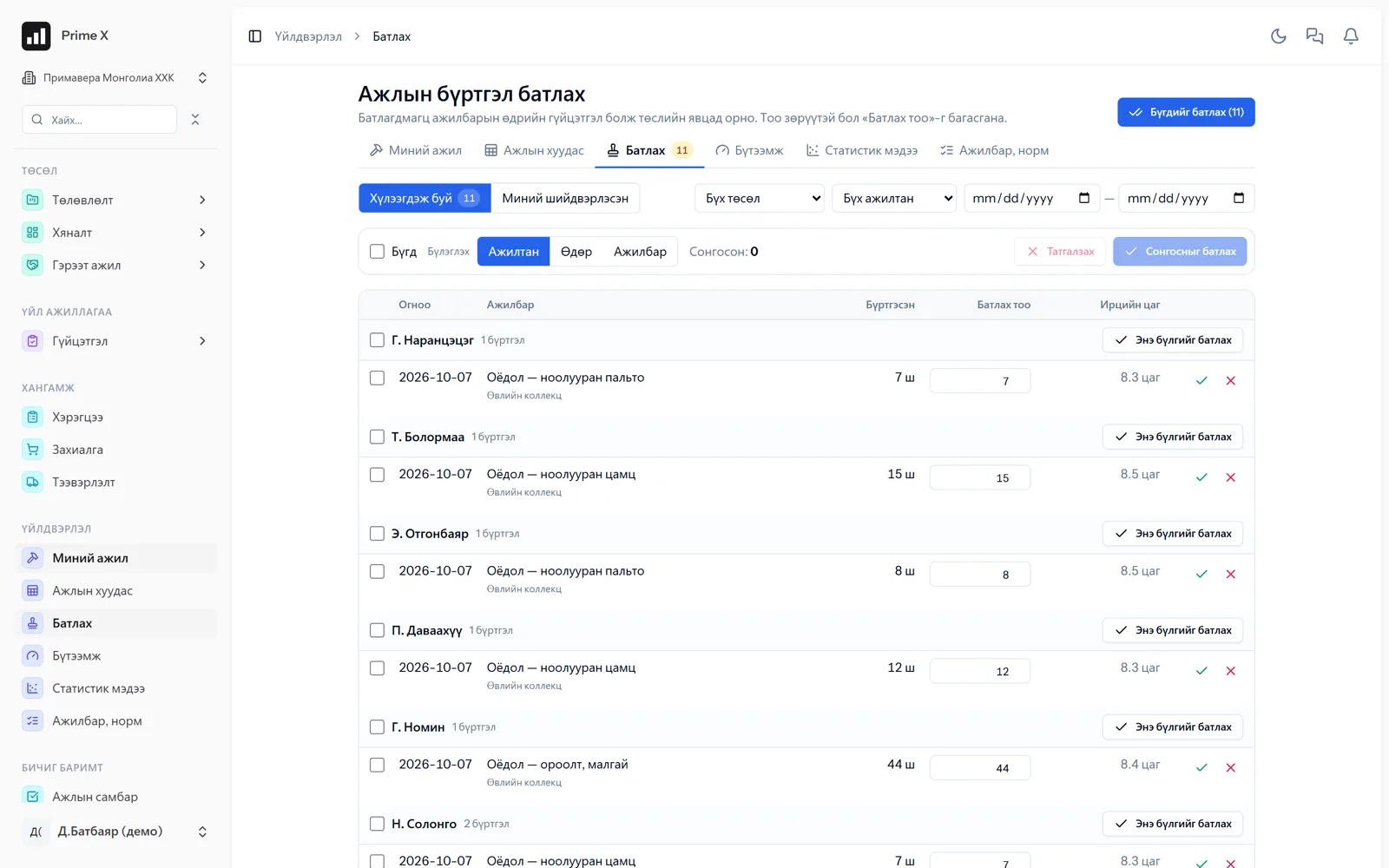
Activity norms and daily records are approved with attendance and reach project progress, productivity, pay and payroll.
Actions arising from hazards, inspections and incidents are closed with an owner and counted on the dashboard and in the monthly report; PPE is tied to warehouse issues.
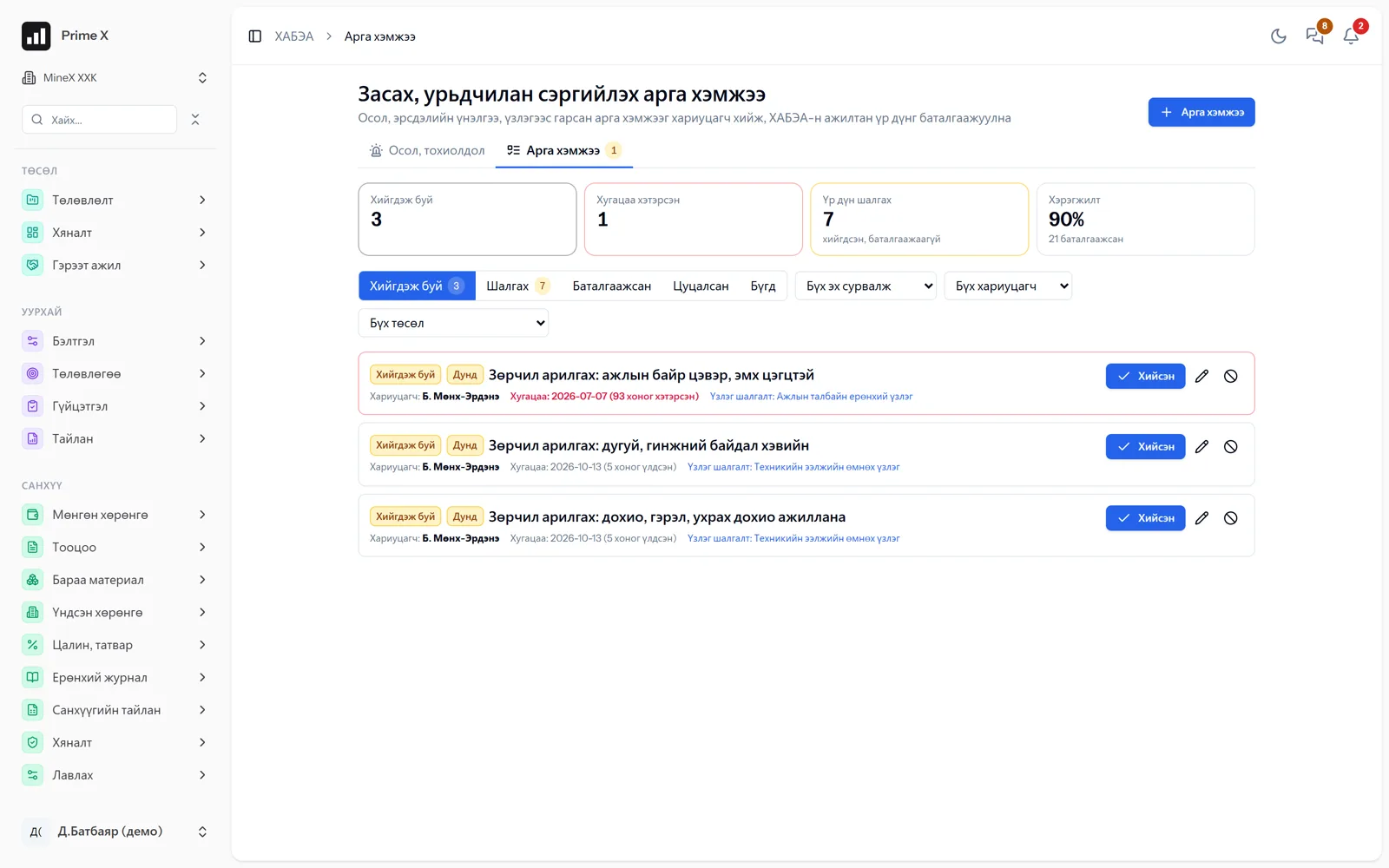
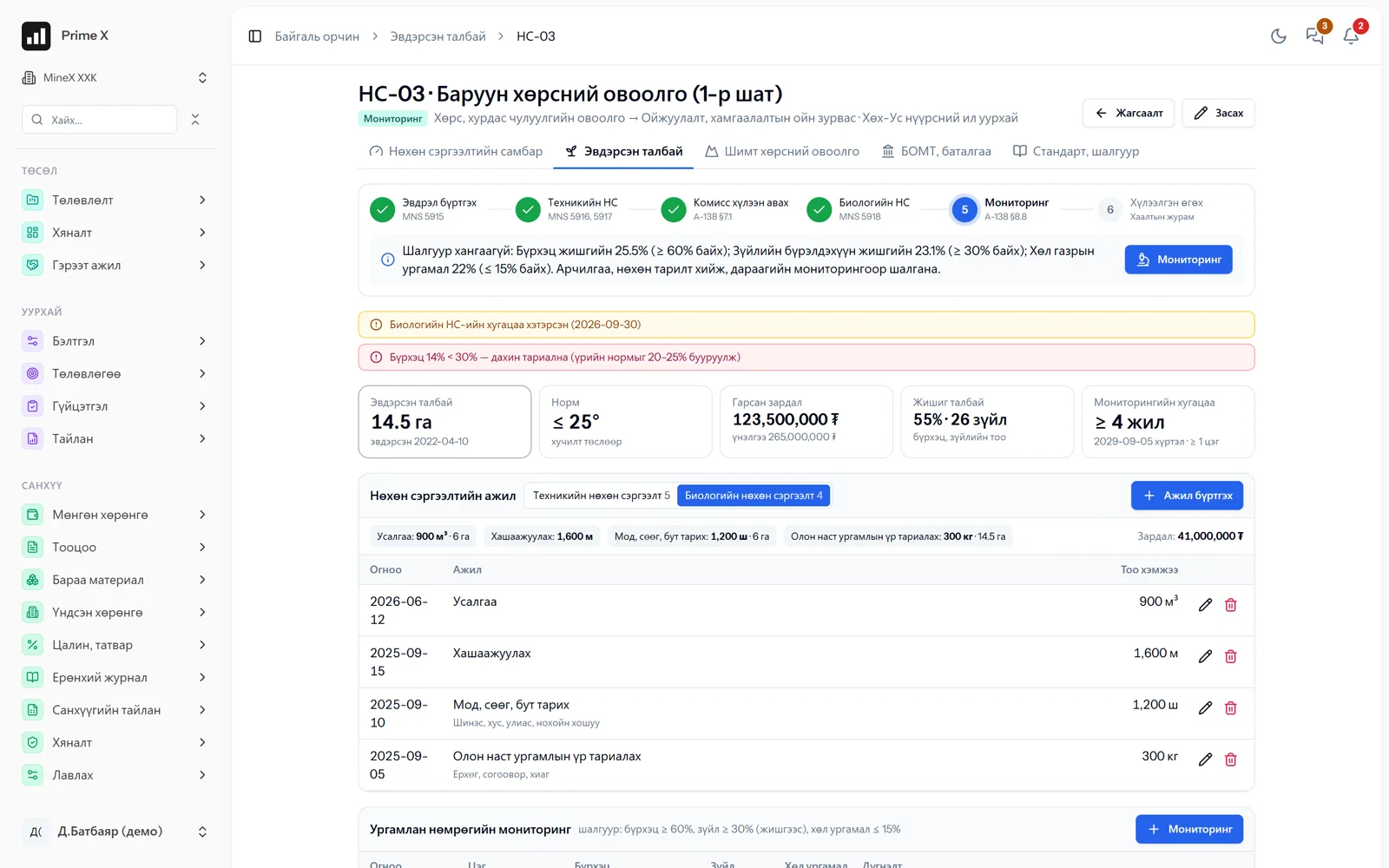
A disturbed area reaches handover through topsoil, technical and biological rehabilitation and monitoring; its cost sits on the project.
In the field
Operators, drivers and employees record by phone: dispatcher status, attendance, hazard reports, requests. No devices to install, minimal training.
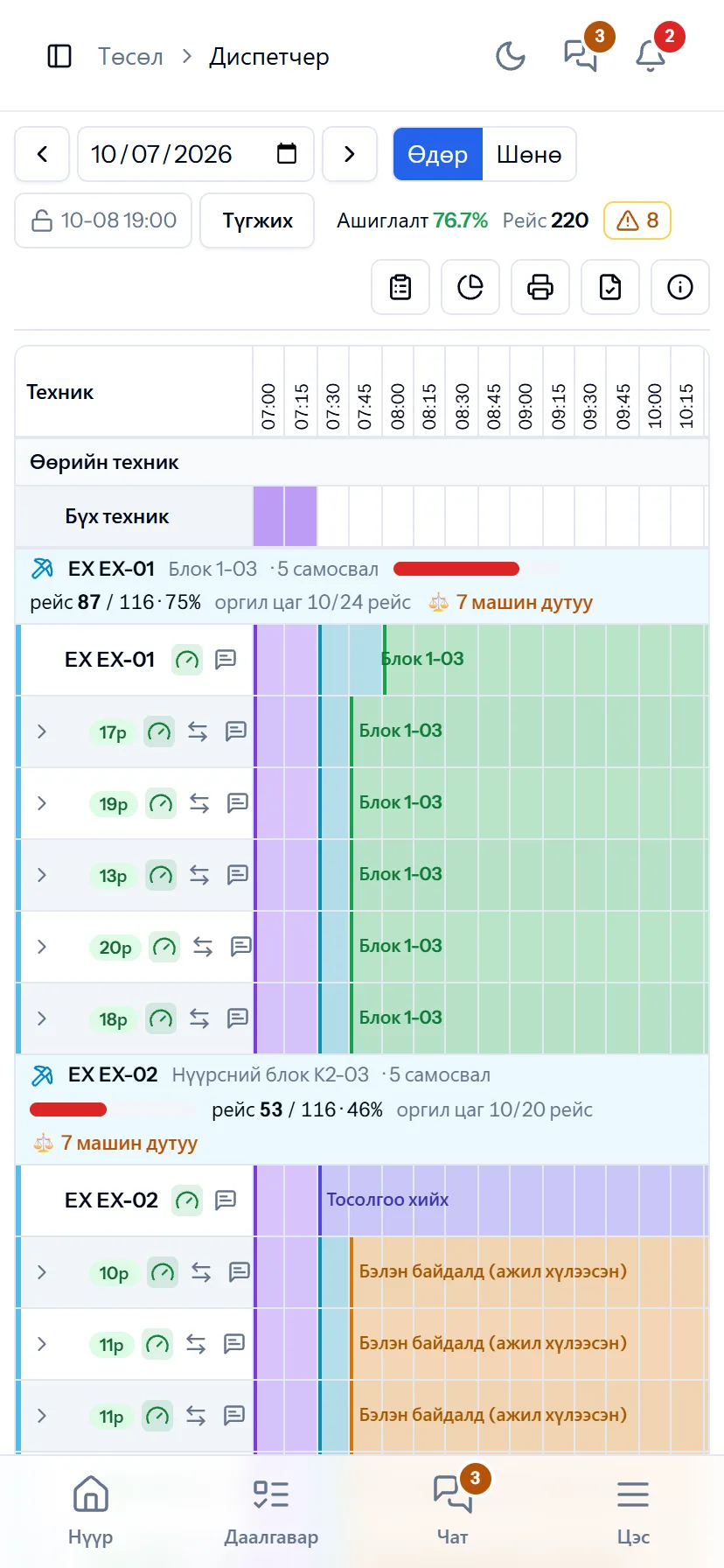
Dispatcher
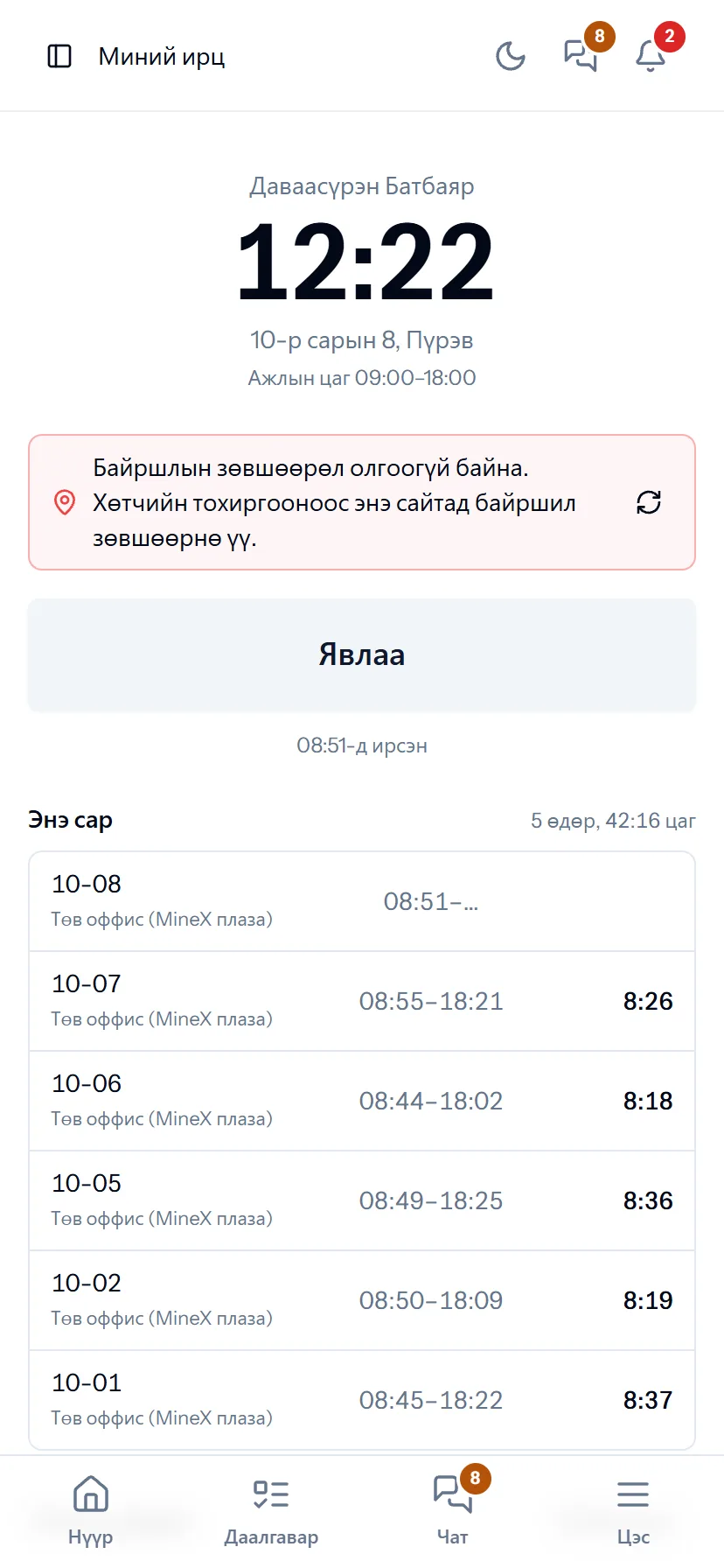
My attendance
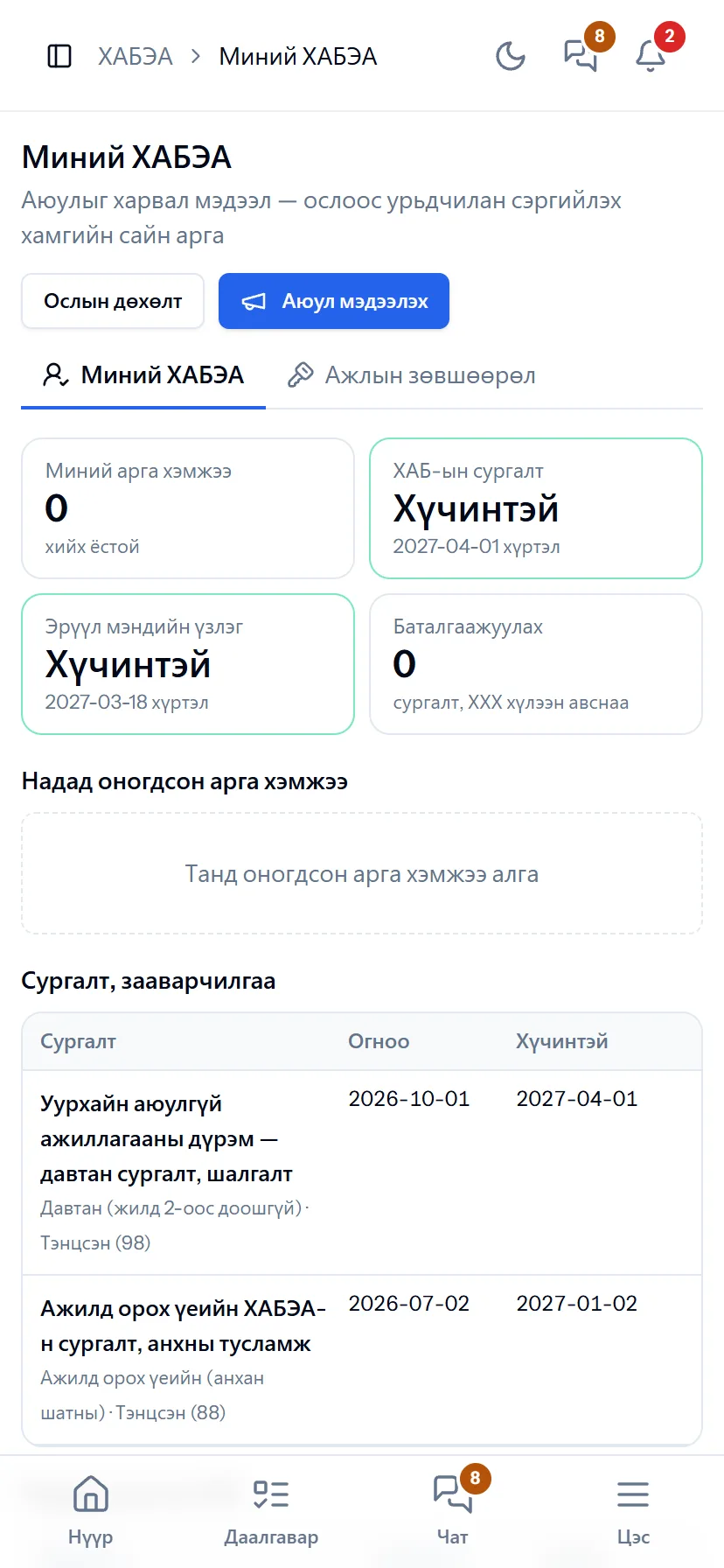
My HSE
Screenshots do not fully show how it works in practice. We give a 30-minute walkthrough on your company’s data and draw up an implementation plan together — office, factory, clinic, road or mine, the whole system or a single module. If you have foreign investors we show the English and Chinese interfaces too.